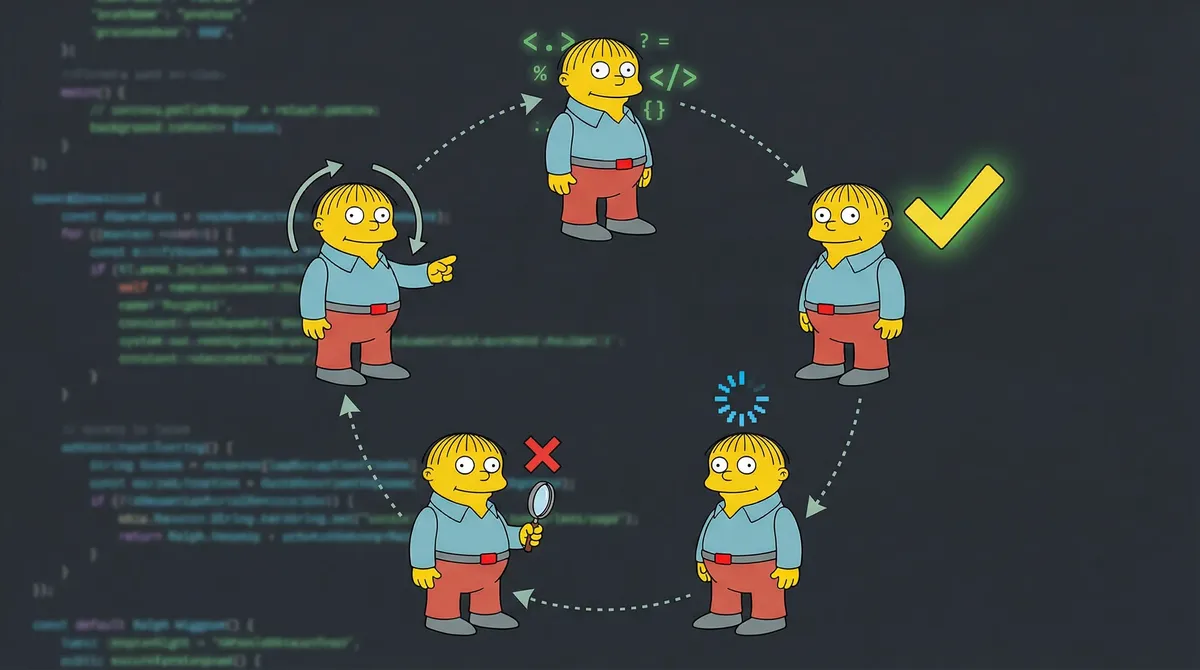
TL;DR: Agentic orchestration coordinates autonomous AI agents through dynamic task management rather than rigid scripts. The Ralph Loop technique enables continuous autonomous execution, while Claude Code Tasks handles multi-agent coordination with dependency blocking and parallel execution. This tutorial teaches both patterns with working examples.
Contents
- What is Agentic Orchestration?
- The Ralph Loop Technique
- Claude Code Tasks for Multi-Agent Coordination
- Practical Implementation Example
- FAQ
Developers script workflows assuming perfect execution. Step 1 completes. Step 2 starts. Step 3 finishes. Linear. Predictable. Fragile.
Real systems don’t work that way. APIs timeout. Data changes mid-process. Requirements shift. Traditional automation breaks at the first exception.
Agentic orchestration solves this by coordinating autonomous agents that adapt and self-correct. No rigid scripts. No manual intervention. Agents run until tasks complete, handling failures and coordinating with other agents automatically.
This guide teaches you to implement agentic orchestration using two techniques: Ralph Loop for autonomous execution and Claude Code Tasks for multi-agent coordination. Both are production-ready patterns you can deploy today.
What is Agentic Orchestration?
Agentic orchestration is the coordination of autonomous AI agents working toward shared goals through dynamic task management.
Key difference from traditional automation: Scripts define steps. Orchestration defines outcomes. Agents figure out the steps.
Traditional workflow:
# Rigid, breaks on first failure
run_step_1.sh
run_step_2.sh
run_step_3.sh
Agentic orchestration:
# Agents coordinate until goal achieved
agent_a: "Complete data processing"
agent_b: "Wait for agent_a, then generate report"
agent_c: "Deploy when agent_b succeeds"
If agent_a fails, it retries. If data changes mid-process, agents adapt. If dependencies shift, orchestration handles it.
What makes it different:
Agents operate without constant human input. You set goals, they execute until completion.
Multiple agents work through task dependencies, not shared memory. Clean handoffs prevent race conditions.
Agents check their work, handle errors, iterate. Unlike scripts that fail fast, agents self-correct.
Tasks get created at runtime based on conditions. Dependencies shift based on results. The orchestration layer coordinates everything.
This matters because complex workflows require judgment. Data processing might need 3 steps or 30. A script can’t decide. An autonomous agent can.
The orchestration layer is your control plane. It manages which agents run, what they depend on, and how they coordinate. Without it, you have independent agents fighting for resources. With it, you have coordinated automation.
The Ralph Loop Technique
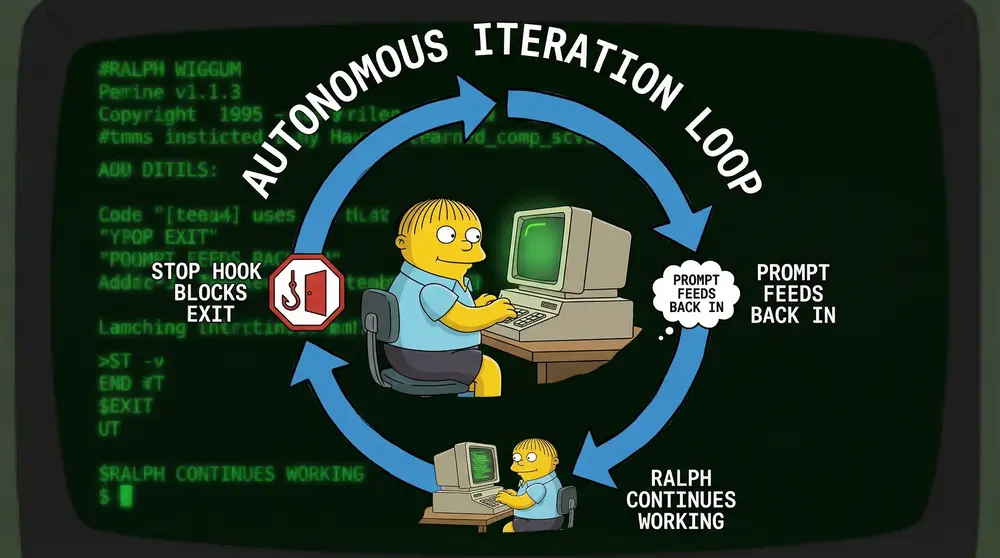
Ralph Loop is an autonomous execution pattern that runs Claude Code continuously until task completion.
Named after Ralph Wiggum from The Simpsons. Just as Ralph keeps going regardless of obstacles, the loop keeps Claude running until work finishes.
Created by Geoffrey Huntley , who described it as “a Bash loop.” Simple concept. It works.
How it works:
Claude Code tries to exit after completing a task. A stop hook intercepts the exit and feeds the same prompt back in. Modified files remain available. Each iteration sees previous work and continues building.
The loop continues until:
- Completion promise statement outputs (explicit success signal)
- Max iterations reached (safety limit)
- User manually stops it (override)
Why autonomous operation works:
Traditional Claude sessions are request-response. You ask, Claude answers, session ends. For long-running tasks, you babysit. Check status. Resume work. Repeat.
Ralph Loop eliminates babysitting. Set it running, walk away. The loop handles iteration automatically. Claude sees its own prior work in git history and files, picks up where it left off.
Real examples:
Geoffrey Huntley ran a 3-month loop that built a complete programming language. YC hackathon teams shipped 6+ repos overnight for $297 in API costs.
The pattern:
# Basic Ralph Loop structure
while true; do
  claude run "Your task prompt here" \
    --completion-promise "TASK_COMPLETE" \
    --max-iterations 50

  # Stop hook feeds prompt back in
  # Loop continues until completion promise outputs
done
Critical safeguards:
Rate limiting. Default 100 calls/hour prevents API abuse. Configurable per implementation.
Circuit breakers. Max iterations prevent infinite loops. If 50 iterations don’t complete the task, something’s wrong.
Completion promises. Explicit success signals. Agent must output exact text (e.g., <promise>TASK_COMPLETE</promise>) when genuinely done. No guessing, no lying to escape.
Cost tracking. A 50-iteration loop on medium codebase costs $50-100+ in API usage. Monitor spend or burn budget fast.
When to use Ralph Loop:
Large refactors. Migrating test frameworks, updating dependencies, standardizing code patterns across hundreds of files.
Support ticket triage. Processing backlog of issues, categorizing, assigning, closing duplicates.
Test coverage expansion. Writing tests for uncovered code paths until threshold reached.
Documentation generation. Building comprehensive docs from codebase, iterating until all modules covered.
When NOT to use it:
Simple linear tasks. If 3 commands in sequence solve it, run those commands. Don’t burn $50 on orchestration overhead.
Unpredictable costs. If you can’t estimate iteration count, you can’t predict API spend. Control costs first.
Real-time interaction needed. Ralph Loop is autonomous. If you need to guide decisions mid-task, stay interactive.
The technique shines for batch operations where correctness matters more than speed and autonomous operation saves more time than API costs.
Claude Code Tasks for Multi-Agent Coordination
Ralph Loop handles single-agent autonomy. But what if you need multiple specialized agents coordinating?
Data processing agent completes. Analysis agent waits for processed data. Reporting agent needs analysis results. Deploy agent triggers after reports validate.
That’s multi-agent coordination. And Claude Code Tasks was built for exactly this.
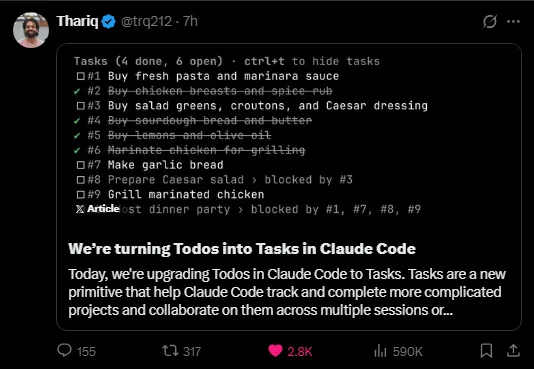
In January 2026, Anthropic developer trq212 announced the Claude Code Tasks feature for multi-agent coordination:
What it does:
Spawn tasks with descriptions, owners, metadata. Each task gets a unique ID for tracking.
Task B can’t start until Task A completes. The orchestration layer enforces this, preventing race conditions.
Tasks progress through states: pending → in_progress → completed. Agents update status as work proceeds.
Independent tasks run simultaneously. Only dependent tasks block.
Assign tasks to specific agents (AgentA, AgentB). Each agent works on their queue.
Attach arbitrary data to tasks. Pass context between agents without shared memory.
The coordination model:
Unlike shared memory (multiple agents read/write same data, causing conflicts), Tasks uses message passing. Agent A completes task, marks it done, stores output in metadata. Agent B reads metadata when unblocked, uses that data for its task.
Clean handoffs. No race conditions. Explicit dependencies.
Practical implementation:
// Agent A creates task for itself
TaskCreate({
  subject: "Process raw data",
  description: "Clean and normalize user data from API",
  activeForm: "Processing raw data"
})
// Returns task ID: #1

// Agent B creates dependent task
TaskCreate({
  subject: "Analyze processed data",
  description: "Run statistical analysis on cleaned data",
  activeForm: "Analyzing data"
})
// Returns task ID: #2

// Set dependency: task #2 blocks until #1 completes
TaskUpdate({
  taskId: "2",
  addBlockedBy: ["1"]
})

// Agent A starts work
TaskUpdate({taskId: "1", status: "in_progress"})
// ... does work ...
TaskUpdate({taskId: "1", status: "completed"})

// Task #2 automatically unblocks
// Agent B can now start
TaskUpdate({taskId: "2", status: "in_progress"})
Key patterns from production:
1. Create all tasks upfront. Don’t spawn tasks mid-workflow. Define the full task graph at start so agents see dependencies clearly.
2. Use blockedBy, not manual polling. Don’t have agents check “is task done?” repeatedly. Set blockedBy dependency and let orchestration handle it.
3. Store handoff data in metadata. When Agent A completes, store results in task metadata. Agent B reads from there, not shared files.
4. One owner per task. Multiple agents on same task creates coordination hell. Assign clear ownership.
5. Mark tasks completed ONLY when truly done. If tests fail, keep status in_progress. Lying about completion breaks downstream dependencies.
Error handling:
What if Agent A fails? Task #1 stays in_progress. Task #2 stays blocked. Nothing downstream proceeds.
Options:
Retry. Agent A iterates (Ralph Loop style) until task succeeds.
Fallback task. Create alternate task with different approach, remove blocking dependency.
Manual intervention. For critical failures, human reviews and unblocks manually.
When to use Tasks:
Multi-stage pipelines. Data processing → analysis → reporting → deployment.
Specialized agents. Content research agent → writing agent → editing agent → publishing agent.
Long-running workflows. Tasks spanning hours or days with handoffs between agents.
Complex dependencies. Task D needs both Task B and Task C complete before starting.
When NOT to use it:
Single-threaded work. One agent, one task, linear execution. Tasks add overhead without benefit.
Real-time collaboration. Tasks are asynchronous. If agents need instant back-and-forth, use shared context instead.
Frequently changing dependencies. If task graph shifts every iteration, static blocking becomes brittle.
The open-source CC Mirror project demonstrated that Claude Code’s orchestration system supports task decomposition, blocking relationships, and background execution for sophisticated multi-agent coordination.
For self-hosted autonomous agent deployment with built-in orchestration, OpenClaw is gaining traction as a production-ready platform — though security hardening is critical before production use.
Practical Implementation Example
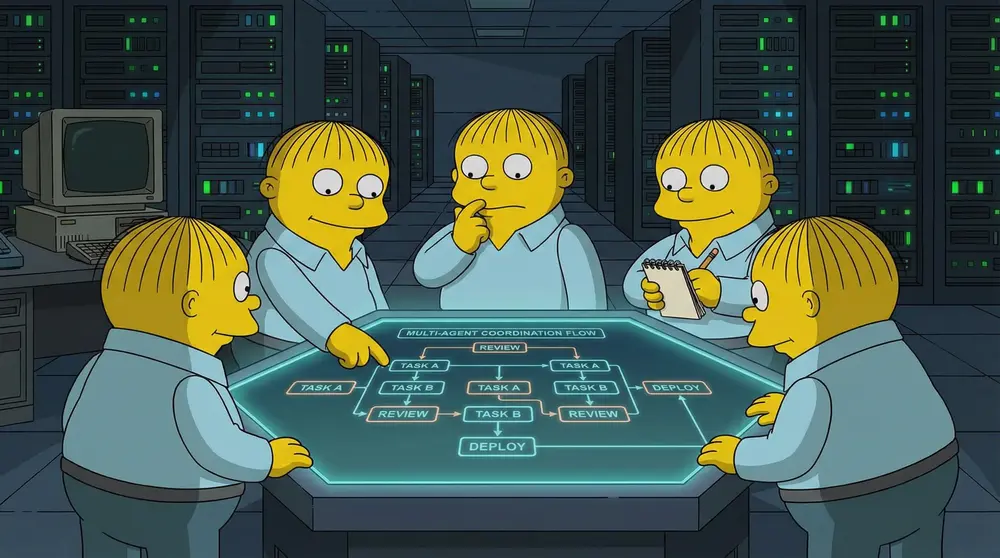
Scenario: Build a data processing pipeline with three agents.
Agent A: Process incoming data and validate format. Agent B: Transform validated data according to rules. Agent C: Output results to destination system.
Step 1: Define tasks with dependencies
// Task #1: Data validation (no dependencies)
TaskCreate({
  subject: "Validate incoming data",
  description: "Check data format and integrity. Flag errors.",
  activeForm: "Validating data"
})

// Task #2: Data transformation (blocks on #1)
TaskCreate({
  subject: "Transform validated data",
  description: "Apply transformation rules to validated dataset.",
  activeForm: "Transforming data"
})

TaskUpdate({taskId: "2", addBlockedBy: ["1"]})

// Task #3: Output delivery (blocks on #2)
TaskCreate({
  subject: "Deliver transformed data",
  description: "Send processed data to destination system.",
  activeForm: "Delivering output"
})

TaskUpdate({taskId: "3", addBlockedBy: ["2"]})
Step 2: Agent A starts autonomous execution
# Ralph Loop for Agent A
claude run "Validate incoming data" \
  --completion-promise "VALIDATION_COMPLETE" \
  --max-iterations 20
Agent A checks data format, validates integrity, flags errors. Stores validation results in task #1 metadata. Marks task completed.
Step 3: Agent B automatically unblocks
Task #2 no longer blocked. Agent B checks task list, sees available work, starts:
# Ralph Loop for Agent B
claude run "Transform validated data from task #1. Output TRANSFORM_COMPLETE when done." \
  --completion-promise "TRANSFORM_COMPLETE" \
  --max-iterations 30
Agent B reads validation results metadata, applies transformation rules, saves processed data. Marks task #2 completed.
Step 4: Agent C automatically unblocks
Task #3 unblocks. Agent C starts delivery:
# Agent C delivery
claude run "Deliver transformed data from task #2. Confirm receipt." \
  --completion-promise "DELIVERED" \
  --max-iterations 10
Agent C sends processed data to destination, confirms receipt, logs completion. Marks task #3 completed.
Full orchestration in action:
[Hour 0] Task #1 in_progress (Agent A validating)
         Task #2 pending, blocked by #1
         Task #3 pending, blocked by #2

[Hour 1] Task #1 completed (validation results in metadata)
         Task #2 in_progress (Agent B transforming)
         Task #3 pending, blocked by #2

[Hour 2] Task #1 completed
         Task #2 completed (data processed)
         Task #3 in_progress (Agent C delivering)

[Hour 3] All tasks completed
         Data delivered to destination
Zero manual coordination. Each agent worked autonomously. Dependencies enforced automatically. Handoffs through task metadata.
Error recovery example:
What if Agent B’s transformation fails validation?
// Agent C detects issues
TaskUpdate({
  taskId: "2",
  status: "in_progress",  // Revert to in_progress
  metadata: {
    validation_errors: "Format mismatch, retrying transformation"
  }
})

// Task #3 stays blocked
// Agent B sees task #2 still in_progress
// Reads validation_errors metadata
// Fixes transformation
// Marks completed again
Task dependencies prevent broken content from deploying. Metadata passes feedback between agents. System self-corrects.
When NOT to use this pattern:
Simple one-off tasks. Running three agents for a single blog post wastes orchestration overhead. Use this for recurring pipelines.
Highly variable workflows. If task graph changes every time, hardcoded dependencies break. Keep dependencies stable or use dynamic orchestration.
Real-time user interaction. This is asynchronous automation. If users need live updates or mid-workflow decisions, orchestration adds latency.
Cost matters more than automation. Running multiple autonomous agents in parallel costs more than sequential manual work. Calculate ROI first.
The pattern shines when you run the same multi-stage workflow repeatedly and autonomous coordination saves more time than API costs.
Key Takeaways
Agentic orchestration coordinates autonomous agents through task dependencies, not rigid scripts. Agents adapt and handle exceptions without constant human input.
Ralph Loop enables autonomous execution. Set Claude running with completion promise and max iterations. It iterates until task completes, seeing prior work in files and git history.
Claude Code Tasks handles multi-agent coordination. Create tasks, set blocking dependencies, assign ownership. Orchestration layer enforces dependencies and enables clean handoffs.
Use orchestration for complex, repeating workflows. If you run multi-stage pipelines frequently, autonomous coordination beats manual babysitting. If it’s one-off work, orchestration overhead isn’t worth it.
Safeguards are non-negotiable. Rate limits prevent API abuse. Max iterations prevent infinite loops. Completion promises require explicit success signals. Cost tracking prevents budget burns.
Start simple, scale complexity. Test single-agent Ralph Loop first. Add multi-agent Tasks once you understand autonomous operation. Don’t architect distributed systems before you’ve run a basic loop.
Check the Claude Code documentation for sub-agent patterns and task coordination. Start with a single autonomous loop. Validate it works. Then scale to multi-agent orchestration.
FAQ
What is agentic orchestration?
Agentic orchestration is the coordination of autonomous AI agents that work together dynamically without rigid workflows. Unlike traditional automation where you script every step, agentic systems adapt, self-correct, and coordinate based on real-time conditions. Each agent handles specific tasks while the orchestration layer manages dependencies, handoffs, and error recovery.
How do autonomous AI agents differ from regular automation?
Traditional automation follows predefined scripts. If step 3 fails, the whole workflow breaks. Autonomous agents make decisions, handle exceptions, and coordinate with other agents without constant human intervention. They operate in loops, checking their work and iterating until tasks complete successfully.
What is the Ralph Loop technique?
Ralph Loop is an autonomous execution pattern where Claude Code runs continuously until completion. When Claude tries to exit, a stop hook feeds the same prompt back in. Each iteration sees previous work in files and git history, allowing the agent to build on prior progress. It’s named after Ralph Wiggum from The Simpsons.
How does Claude Code Tasks feature enable multi-agent systems?
Claude Code Tasks provides task creation, blocking dependencies, and parallel execution. You create tasks owned by specific agents, set dependencies (task B blocks until task A completes), and agents coordinate through task state rather than shared memory. This prevents race conditions and enables clean handoffs between specialized agents.
When should I use agentic orchestration vs traditional workflows?
Use agentic orchestration when tasks require adaptation, multiple specialized agents, or long-running autonomous operation. Traditional workflows work better for simple linear processes with predictable steps. If you need agents to coordinate across hours or handle complex branching logic, orchestration wins.
What are the limitations of autonomous AI agents?
Cost and control. Ralph Loops can burn hundreds of dollars in API costs if misconfigured. Autonomous agents need clear exit conditions or they run indefinitely. You lose fine-grained control compared to scripted workflows. For simple tasks, the orchestration overhead isn’t worth it.
How do I prevent race conditions in multi-agent systems?
Use task blocking dependencies. If Agent B needs Agent A’s output, mark task B as blockedBy task A. Claude Code Tasks enforces these dependencies, preventing Agent B from starting until Agent A completes. This eliminates timing bugs and ensures clean state handoffs.
Ready to automate with agentic orchestration? Book a discovery call to discuss your workflow automation needs.
Soli Deo Gloria
Back to Insights