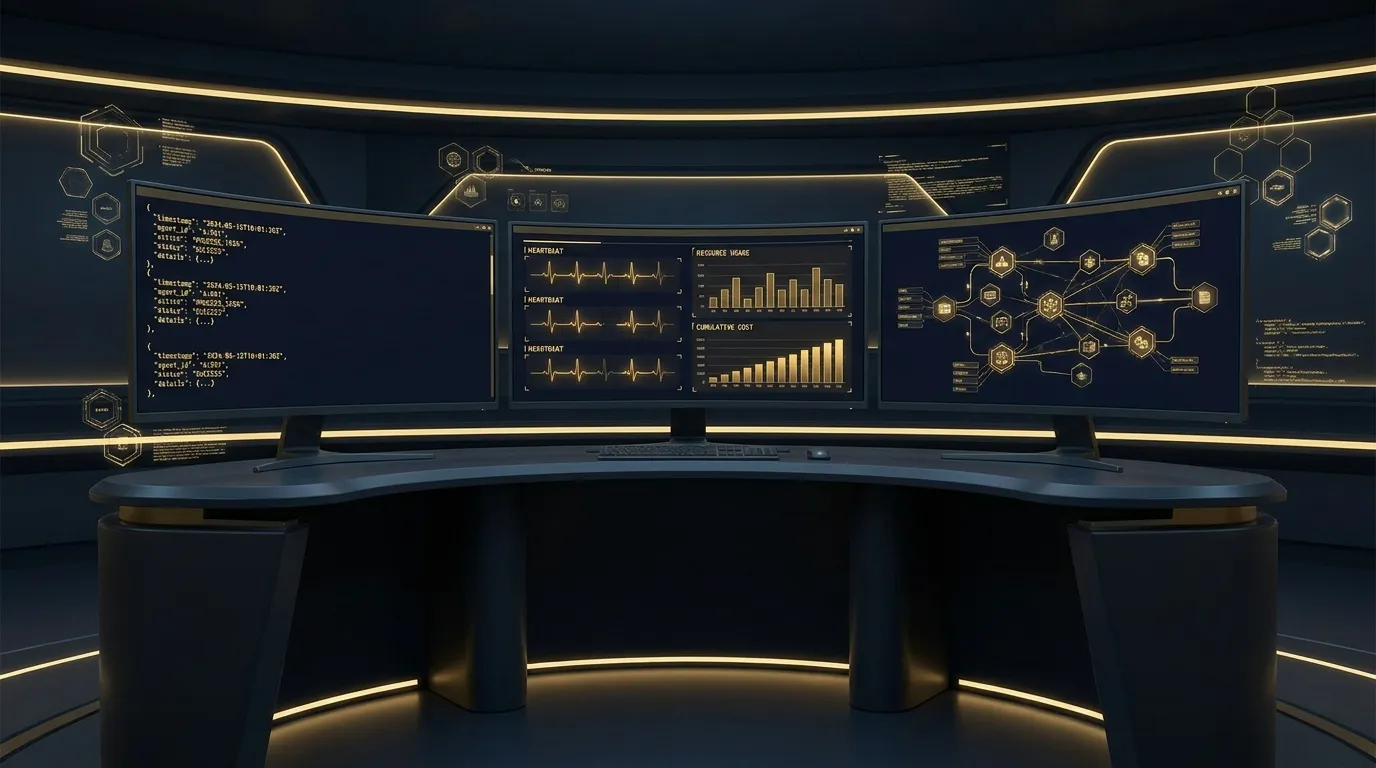
TL;DR: AI agent observability requires more than standard APM. Log five categories: agent decisions, token costs, tool calls, memory mutations, and conversation threads. Alert on three signals: heartbeat absence, cost-rate anomaly, and tool failure rate. The three things most teams skip: prompt-template diffs, model version tracking, and human-override capture. Business-outcome monitoring catches the worst failures that all of those miss. This post covers the full framework from running a multi-agent fleet in production.
Contents
- Why AI Agent Observability Is Different
- The Five Things Every AI Agent Must Log
- The Three Alerts That Catch Production Failures Early
- The Three Things Most Teams Don’t Log But Should
- What the Tooling Has to Do
- Multi-Agent Fleet Observability
- AI Agent Anomaly Detection
- The “It’s Quiet, Too Quiet” Failure Mode
- Key Takeaways
- FAQ
It is 2am. Your monitoring stack shows all-green. Request rates are normal. Error rate is zero. Latency is in range.
Your AI agent just told a customer to send their tax documents to a third-party address it hallucinated from context. Neither of you knows yet.
This is the gap that makes AI agent observability different from everything else in your monitoring stack. The infrastructure is fine. The outcome is not. Regular APM has no concept of the difference.
We run a multi-agent fleet in production at Kaxo. This post is the guide we built from actual debugging sessions, 2am incidents, and months of production experience. We have made all the mistakes here. The goal is that you don’t have to.
Why AI Agent Observability Is Different
Traditional observability covers four pillars well: request rate, error rate, latency, resource usage. AI agent monitoring needs all four of those and three more that standard tools don’t model.
Non-determinism. The same input doesn’t always produce the same output. An error rate spike in an AI agent is not always a bug. It can be variance in model behaviour, input complexity changes, or a provider update. Your alerting needs to account for this, or you’ll be chasing false positives every morning.
Semantic failures. This is the category that keeps operators up at night. The agent executed without errors. The response was grammatically valid. The action it took was wrong. A database lookup returned plausible but stale data and the agent cited it. A tool returned a valid-looking response that was actually an edge-case error formatted as success. No exception. No log entry. No alert. The customer outcome was bad.
Cost variance. Token usage can swing 10 to 100 times based on input complexity. A routine query and a query where the user pastes a long document can differ by two orders of magnitude in cost. Multiply that across a fleet and across a day. Cost spikes are not always bugs, but unchecked cost variance is how a manageable deployment budget becomes an unpleasant invoice surprise.
Multi-agent cascades. Agent A’s output is Agent B’s input. Agent B’s output is Agent C’s input. A malformed response at step one propagates through the graph. By the time it surfaces as a visible failure at step three, the root cause at step one is gone from your log window. Without end-to-end tracing, you debug symptoms, not causes.
The framing that clarifies what you need: your monitoring stack thinks the system is healthy. The agent just did something wrong. Both can be true simultaneously. LLM observability tools exist precisely because standard APM cannot distinguish between these states.
The Five Things Every AI Agent Must Log

These are not optional. If your agent is missing any of these five log categories, you are flying partially blind in production.
1. Agent Decision Log
Every action the agent decides to take, with three fields: the prompt context that led to the decision, the model response, and which tool or function call resulted.
Without this log, you cannot debug semantic failures. You have output but no chain of reasoning. Reconstructing “why did the agent do that?” becomes archaeology across partial context.
The common mistake is logging only the output. Log the input context too. The decision is a function of the input, and inputs change. A prompt that worked fine yesterday against yesterday’s data may produce a different decision today against today’s data, even if the model behaviour is identical.
Log it as structured data rather than prose, and carry enough to reconstruct the decision later: which agent and which thread, the prompt template and model version in play, the input and output token counts, the action chosen and the tool it resolved to, a one-line summary of the agent’s own rationale, and a timestamp. A short rationale summary is the field teams omit and the one that saves the most time later; keep it to a sentence, not a full chain of thought.
2. Token and Cost Log
Input tokens, output tokens, model used, and cost estimate. Per agent action. Not aggregated daily: per action.
Silent cost overruns happen when per-action cost is invisible. A single runaway loop where an agent calls itself recursively 400 times looks fine on a dashboard that only shows daily totals. It does not look fine on the invoice.
Track per-agent-per-day totals in your metrics layer, but the raw per-action log is what lets you identify which specific call triggered the spike.
3. Tool Call Log
Every tool invocation with its parameters (sanitised for PII), the full response, and latency.
Tool failures masquerade as agent failures constantly. The agent gets a malformed response from a downstream API, misinterprets it, and produces a wrong answer. Your logs show the agent misbehaved. They don’t show that the misbehaviour started with a bad tool response.
Log the tool name, parameter schema (not values if PII is present), response status, response size, and latency. When an agent starts behaving strangely, the tool call log is the first place to look.
4. Memory Mutation Log
Every write to persistent memory or state. Timestamp, what changed, what the previous value was.
Agents that self-modify their context cause a class of failure that is nearly impossible to debug without this log. We call them Heisenbugs: behaviours that appear, persist, and disappear based on accumulated state changes that nobody tracked. An agent that writes a wrong assumption to its memory will carry that assumption forward into every subsequent interaction.
The memory mutation log turns “the agent is acting weird and I don’t know why” into “the agent wrote this incorrect value to memory at 14:32 on Tuesday, and every action since then has been based on that.”
5. Conversation and Thread Log
Full conversation context per session, with a stable thread ID that persists across the conversation.
Without this, you cannot reproduce production behaviour locally. Every debugging session becomes a reconstruction exercise. You can narrow down what happened, but you cannot replay it.
The thread ID is especially critical for multi-agent system observability: it is what lets you connect an event in Agent C back to the original input in Agent A. Without a consistent thread ID, a multi-agent execution looks like three unrelated log streams.
The Three Alerts That Catch Production Failures Early

Most teams alert on error rates. That catches maybe 30% of AI agent failures. Here are the three alerts that catch the other 70%.
1. Heartbeat and Liveness
Every production agent should emit a heartbeat event on a fixed schedule. Simple: “I am alive and processing at 14:32.” If no heartbeat arrives within 1.5x the expected interval, alert.
This sounds obvious. Most teams skip it because their infrastructure gateway “looks healthy.” The gateway is healthy. The agent is stuck. These are not the same thing.
We have had agents stop processing because a database connection pool was exhausted upstream. The gateway showed green. The agent’s heartbeat just… stopped. Without a liveness alert, we would have found out the next morning from a user complaint.
Starting threshold: 1.5x expected interval. So if heartbeat fires every 5 minutes, alert at 7.5 minutes of silence.
First false positive you’ll see: Scheduled maintenance windows. Set up a mute rule for your deployment windows from day one. Don’t wait for the first 2am alert from a planned restart to do this.
2. Cost Rate Anomaly
Compare rolling token spend (or inferred cost) over the last hour against the rolling 24-hour average for that agent at that time of day. Alert when it exceeds 3x.
The upper-bound anomaly catches runaway loops: an agent stuck in a recursive call pattern, or a prompt that expanded far beyond normal input. The lower-bound anomaly (agent dropping to near-zero cost) catches silent death: the agent stopped processing entirely but no error fired.
Starting threshold: 3x for upper bound, 0.1x for lower bound.
First false positive you’ll see: Monday mornings if you have agents that process queued weekend work. Account for day-of-week patterns in your baseline once you have two weeks of data.
3. Tool Failure Rate
Track the percentage of tool calls that return error responses per agent per 15-minute window. Alert when it exceeds a threshold.
This catches cascading failures before they become total failures. Downstream APIs degrade before they go down entirely. A tool failure rate that climbs from 2% to 15% over 30 minutes is a warning sign. Waiting until it hits 100% and the agent stops working entirely means you’re always reacting.
Starting threshold: Alert at 10% tool failure rate sustained over two consecutive 15-minute windows.
First false positive you’ll see: Transient third-party API errors. Tune to require two consecutive windows above threshold before alerting. This eliminates single-window blips while still catching sustained degradation.
The Three Things Most Teams Don’t Log But Should
These are the “wish we’d had it at 2am” entries. Each one sounds like overhead until you need it.
1. Prompt-Template Diff Log
When the system prompt or any prompt template changes, log the diff. Every change. Including changes triggered by a config update or a deployment that modified a template file.
The symptom that makes you need this: “The agent got dumber today and I don’t know why.”
Without the diff log, “dumber today” could mean a model change, a prompt change, a data change, or a load-balancer change that’s routing traffic to a different replica with different config. With the diff log, you can rule out prompt changes in seconds.
We introduced this after a config deployment silently updated a prompt template while we were debugging an unrelated issue. We spent two hours blaming the model before realising the system prompt had changed three hours earlier.
Log: template name, version hash before, version hash after, diff summary, timestamp, deployment ID if applicable.
2. Model Version Log
Which specific model snapshot served each call.
This sounds like something your provider handles. They do not handle it adequately. Providers roll model updates silently. OpenAI has deprecated models mid-cycle. Anthropic’s versioned model names like claude-3-5-sonnet-20241022 are specific snapshots, but routing policies and provider-side updates can still affect behaviour.
When an agent starts behaving differently and you don’t know why, the model version log is what lets you say: “behaviour changed at 16:00 on Tuesday; model version changed at 15:52 on Tuesday.” Without it, that correlation is impossible.
Log: model ID exactly as returned by the API, provider, timestamp.
3. Human-Override and Takeover Log
When a human steps in and overrides the agent’s action or takes over a conversation manually, log it. The override action, the agent’s proposed action that was overridden, the human’s replacement action, and ideally a brief reason.
This is your most valuable training data for agent improvement, and most teams don’t capture it at all.
Every human override is a labelled example of: “the agent was about to do X; the correct action was Y.” That is gold for identifying systematic failure modes, improving prompts, and prioritising what to fix next. A month of override logs tells you more about where your agent fails than any synthetic benchmark.
If you are building agents with any human-in-the-loop component, start logging overrides from day one. You will thank yourself in three months when you need to explain to a stakeholder why you’re changing the agent’s behaviour and you have 200 concrete examples of why.
What the Tooling Has to Do
Tool choice matters less than the four capabilities you need covered, so judge any stack against these rather than against a feature list.
Structured logs that leave the process cheaply. Emitting JSON and letting the runtime collect it keeps the agent code simple. A logging sidecar or a vendor SDK adds latency and one more thing that can fail between your agent and the record of what it did.
Aggregation you can actually search. The useful property is indexing on metadata like agent, thread and model without indexing every byte of log content, because full-content indexing is what makes log storage expensive enough that someone eventually turns it off.
A trace view that understands LLM calls. Generic APM shows you spans. What you need is an execution tree with token cost at each node and tool calls as leaves, because that is the view that answers “where did this run go wrong and what did it cost”. Build against OpenTelemetry’s semantic conventions for generative AI, the emerging standard here, and you can change tooling later without re-instrumenting.
Alert routing, not just alert generation. An alert needs to reach whoever is on call at the time, carrying enough context to act on without opening three dashboards.
One anti-recommendation. Don’t buy a vendor observability SaaS before you have outgrown self-hosted. These products are genuinely good and they are also sticky: once your agents are instrumented against a proprietary SDK, leaving is painful. Move up when you hit a concrete limit such as team size, a compliance requirement, or a feature the self-hosted options do not have. Not before.
The principle underneath all four: instrument at the agent level, not the infrastructure level. Infrastructure health tells you nothing about the quality of an agent’s decisions.
Multi-Agent Fleet Observability
Multi agent system observability has additional complexity that single-agent setups don’t face. Five agents talking to each other generate five times the log volume, but they also generate an entirely new failure category: inter-agent communication failures.
Here is what changes at fleet scale.
Inter-agent message log. Every message one agent sends to another. Sender, receiver, message ID, size, timestamp. Not content if PII is involved, but the envelope metadata. This is what lets you reconstruct “agent A sent 47 messages to agent B in 3 minutes” when diagnosing a runaway loop.
Thread ID propagation. The thread ID established at the start of a multi-agent workflow must propagate through every subsequent agent and every tool call. This is the single most important piece of fleet observability infrastructure. Without it, a failure in agent D is an isolated event. With it, a failure in agent D is part of a traceable chain starting from the user request that triggered agent A.
The propagation needs to be explicit in your agent code. Don’t assume the model will carry it forward. Pass the thread ID as a required parameter in every inter-agent call.
Reply-loop detection. If agent A sends a message to agent B, and agent B sends a response back to agent A, and agent A sends another message to agent B, you may have a loop. Alert when the same two agents exchange more than a threshold number of messages in a single thread within a short time window.
This failure mode is common: after a config change, a workflow can start interpreting an agent result as a new trigger, and the cycle repeats. A reply loop like this can run dozens of times before a cost anomaly surfaces it. The fix is reply-loop detection, which catches the pattern before it compounds.
Per-agent cost attribution. In a multi-agent flow, which agent is responsible for which spend? Without per-agent cost attribution, a cost spike in a fleet is invisible: total cost went up, but you don’t know if it was agent A running more efficiently expensive queries or agent C stuck in a loop.
Label every token log event with the agent ID. Aggregate in your metrics layer by agent. This also tells you which agents are the most expensive to run, which is the input you need for model tiering decisions.

Connecting observability across agents also connects you to the multi-agent infrastructure consulting discipline more broadly: the visibility you build here is the foundation for everything from cost management to security auditing across your fleet.
AI Agent Anomaly Detection
AI agent anomaly detection is the discipline of catching agent behaviour that deviates from baseline before a human reports it. It is distinct from threshold alerting. Threshold alerting fires when a metric crosses a fixed line you set. Anomaly detection fires when the shape of agent activity changes in a way you did not anticipate.
For agent fleets, the categories worth detecting are five:
Cost-shape anomalies. Token spend on a per-agent basis usually fits a recognisable daily pattern: a working-hours bump, a weekend dip, occasional spikes during batch runs. When that shape changes (agent A’s overnight cost suddenly looks like agent A’s daytime cost, or a usually-quiet agent develops sustained activity) you have either a real workload shift or a stuck process. Either way, worth investigating before the invoice tells you. Rolling-window statistical detection (z-score over a 7-day window per agent) catches this without a hand-tuned threshold.
Tool-call distribution anomalies. Each agent has a typical mix of tool calls. The customer-support agent calls the ticketing API 60% of the time, the knowledge-base API 30%, the escalation API 10%. When that distribution drifts (the escalation API suddenly fires 40% of calls), the agent’s decision-making has changed. The cause could be benign (new ticket types) or alarming (the agent has lost confidence in its own answers and is escalating everything). Detection happens by comparing this hour’s distribution against the rolling baseline using KL divergence or a chi-squared test. You do not need fancy ML for this; a simple ratio comparison with a meaningful threshold catches most cases.
Response-shape anomalies. Agent outputs have a typical length, structure, and entropy. When a model update or prompt change causes outputs to suddenly become 3x longer, more repetitive, or grammatically degraded, your users notice before your monitoring does. Track output length distribution and a basic readability or perplexity metric per agent. Sudden shifts in those distributions are the early signal that a model or prompt change has degraded behaviour.
Inter-agent traffic anomalies. In multi-agent fleets, the message volume between agent pairs has a typical pattern. Agent A and Agent B might exchange 50-200 messages per hour during business hours. When that suddenly jumps to 2000 messages per hour, something has changed, usually a routing config or a malformed message triggering retry storms. Detect at the pair level, not just per-agent.
Outcome-rate anomalies. Already covered in the section below on “It’s Quiet, Too Quiet”. Business outcomes should be tracked as time series and anomalous changes alerted on. This is the highest-value anomaly category because it catches semantic failures that no other detection layer sees.
For practical implementation: anomaly detection does not require an ML pipeline. Rolling z-score on per-agent time series, computed in your existing metrics store (Prometheus, Grafana, or your alerting backend), covers four of the five categories. The fifth, response-shape, needs a lightweight scoring function on agent output. Both can ship in an afternoon if your logging structure is already in place per the sections above.
The mistake teams make: treating anomaly detection as something to add later after the basic alerting is “done.” Threshold alerting catches the failures you knew to look for. Anomaly detection catches the failures you did not. Most production agent incidents are in the second category. Add anomaly detection in the same iteration as your first alerting setup, not as a “phase two” item.
The “It’s Quiet, Too Quiet” Failure Mode
The loudest failures are not the hardest ones. A loud failure: exception thrown, alert fires, engineer wakes up. Annoying but navigable.
The hardest failure: silence. The agent is running. The infrastructure is healthy. The cost looks normal. The logs are clean. The thing the agent is supposed to accomplish is just not happening.
No exception. No alert. No anomaly. Just an agent that has quietly stopped doing its job.
This failure mode is not caught by any of the logging or alerting approaches described above. None of them look at business outcomes. They look at agent behaviour. And the agent is behaving fine: it is receiving inputs, processing them, returning outputs, and those outputs are going nowhere useful.
The fix is business-outcome monitoring. The agent’s job has a measurable outcome. If you are using an agent to process support tickets, the outcome is tickets-processed per hour. If you are using an agent to qualify inbound leads, the outcome is leads-qualified per day. If you are using an agent to extract structured data from documents, the outcome is documents-extracted per hour.
Set an alert on the outcome metric, not just the process metrics. If tickets-processed drops by 50% compared to the rolling average, something is wrong, even if every process metric looks healthy.
This is the connection point between ai agent metrics and business value. Most observability work focuses on the process: did the agent run, did it cost too much, did tools fail. Business-outcome monitoring asks the more important question: did the work get done?
The answer is often “no” before any process metric shows it.
Key Takeaways
- Log five categories, not just errors. Agent decisions, token costs, tool calls, memory mutations, and conversation threads. Missing any one leaves a class of failure invisible.
- Three alerts cover 70% of production failures. Heartbeat liveness, cost-rate anomaly (both upper and lower bounds), and tool failure rate. Start with these before adding anything more complex.
- Prompt-template diffs are underrated. “The agent got dumber today” is a prompt change 30% of the time. Log every template change, including config-triggered ones.
- Model version correlation is harder than it looks. Log the exact model snapshot ID per call. Provider silent updates are real and they affect behaviour.
- Human overrides are labelled training data. Log every human takeover with the overridden action and the replacement action. This is how you improve agent behaviour systematically over time.
- Thread ID propagation is the foundation of fleet observability. Without it, multi-agent execution traces are fragments. With it, they are complete stories.
- Business-outcome monitoring catches what process monitoring misses. An agent that runs without errors but stops producing outcomes is still broken. Monitor the outcome, not just the process.
- Start self-hosted. Open-source options cover most of what the commercial tools give you at no licence cost, and they do not lock your instrumentation to one vendor. Migrate up when you have a concrete reason, not because a vendor demo looked good.
Frequently Asked Questions
What is the difference between AI agent observability and regular APM?
Traditional APM tracks request rate, error rate, latency, and resource usage. AI agent observability adds three layers those tools miss: semantic failures (the agent did the wrong thing but no error fired), cost variance (token usage swings 10-100x based on input complexity), and multi-agent cascades (failures propagate through agent graphs in non-obvious ways). An APM dashboard can show all-green while an agent is quietly giving customers wrong information.
Do I need a vendor tool like LangSmith or Helicone for AI agent observability?
Not to start. Structured JSON logs your runtime already collects, an aggregator that indexes on metadata rather than full content, and an LLM-aware trace view cover the fundamentals, and there are solid open-source options for each. These tools are good; they are also sticky, because instrumenting against a proprietary SDK is easy to do and painful to undo. Graduate to a paid SaaS when you hit a concrete limit, not before. The vendors will lock you in early if you let them.
How do I log AI agent decisions without leaking customer data into my log store?
Log the structure of the decision, not the raw content. Record which tool was called and with what parameter schema, not the actual parameter values when those values contain PII. Hash or truncate customer identifiers. Log the prompt template name and version rather than the full rendered prompt. For debugging, keep a short-term high-fidelity log in an encrypted store with a 7-day retention window separate from your long-term operational logs.
What is the right alert threshold for AI agent cost anomalies?
Start with a 3x multiplier on your rolling 24-hour average per-agent token spend. That threshold catches runaway loops while tolerating normal input-complexity variance. Tune down to 2x after your first month of data once you know your baseline. A sudden drop to near zero is equally worth alerting on: it usually means the agent stopped processing work entirely without throwing an error.
How do I debug an AI agent that is failing intermittently?
Three places to look in order: first, the tool call log. intermittent failures are usually a downstream tool returning errors that the agent handles silently. Second, the prompt-template diff log. if the failure correlates with a recent deployment, a prompt change may be the cause. Third, the model version log. some model providers roll silent updates that change behaviour. If you do not log which model snapshot served each call, you cannot correlate behaviour changes to provider changes.
Should I log the full prompt or just a hash?
Log both, in different places. A SHA-256 hash of the rendered prompt goes in your long-term operational log. it lets you detect prompt changes without storing PII. The full rendered prompt goes in a short-retention debug log (7-30 days, encrypted, access-controlled). When you need to reproduce a production failure locally, you need the full prompt. When you are running a cost audit or correlating a behaviour change, the hash is sufficient.
How do I observe a multi-agent system end-to-end?
Propagate a conversation-thread ID from the first agent in the chain through every subsequent agent and tool call. Log that ID on every event. With a single thread ID you can reconstruct the full execution path across agents in your log store. Add an inter-agent message log that records sender, receiver, timestamp, and message size (not content if PII is involved). Alert on reply-loop patterns: if agent A sends to agent B and agent B sends back to agent A more than N times in a single thread, something is stuck.
What is the most common AI agent observability mistake teams make?
Logging only errors. AI agents fail in ways that produce no errors. The agent did the work. The work was wrong. No exception was raised. Your log is clean. The customer outcome was bad. The fix is logging agent decisions, not just agent errors: every action taken, every tool called, every branch in the decision tree. This is more data, yes. It is also the only data that lets you reconstruct what actually happened.