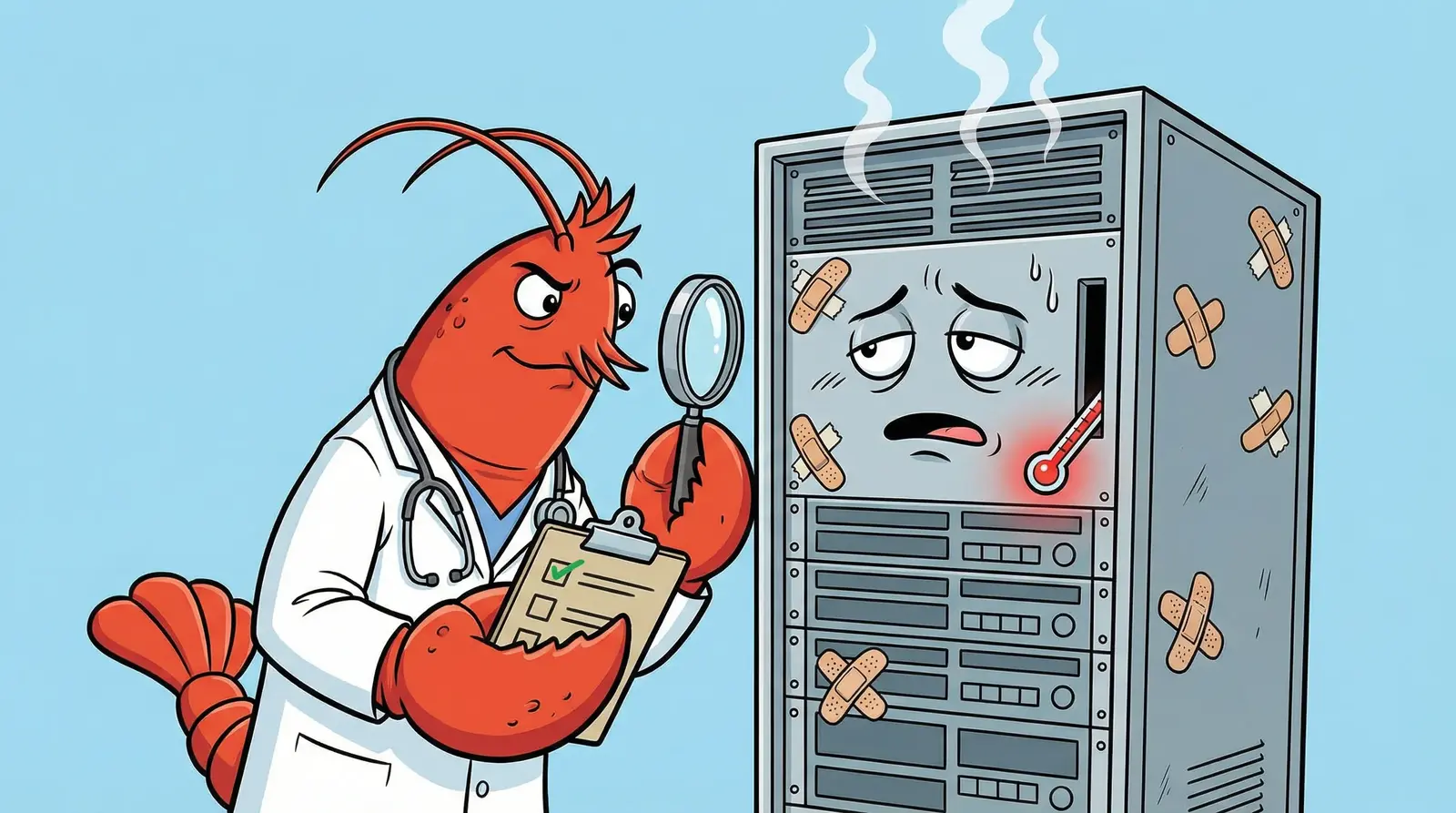
TL;DR: openclaw doctor –fix validates your config, removes unknown keys, migrates legacy formats, and creates a backup before touching anything. It catches schema errors. It does not catch silent runtime failures: missing files that kill heartbeats, WebSocket payload limits that drop browser sessions, memory leaks that OOM your gateway, cross-agent context contamination, cron jobs that can’t find Telegram recipients, sandbox configs that block network access, or browser driver settings that break CDP connections. This guide covers what doctor actually does, the complete gateway token mismatch fix workflow, and 7 production failures we discovered running a multi-agent fleet that doctor will never detect.
Contents
- Quick Reference: Error to Fix
- What Doctor –fix Actually Does
- Gateway Token Mismatch: Complete Fix
- Missing Scope: operator.read
- 7 Silent Failures Doctor –fix Won’t Catch
- Key Takeaways
- FAQ
Quick Reference: Error to Fix
You’re probably here because something broke. Find your error, get the fix, read the details later.
| Error Message | One-Line Fix | Section |
|---|---|---|
unauthorized: gateway token mismatch | Clear stale token from auth.json, restart gateway | Gateway Token Mismatch |
gateway token rejected. check token and save again. | Regenerate token, update env vars, restart | Gateway Token Mismatch |
device token mismatch | Re-pair device: openclaw pairing approve | Gateway Token Mismatch |
missing scope: operator.read | Re-approve device with correct scopes | Missing Scope |
| Heartbeat never fires (no error) | Add models.json to agent directory | Silent Failure #1 |
Target closed / CDP session closed | Increase WebSocket MAX_PAYLOAD_BYTES to 25MB | Silent Failure #2 |
| Gateway OOM after 6-8 hours | Roll back to v2026.2.22 or upgrade past v2026.2.25 | Silent Failure #3 |
| Agent responds with wrong personality | Set historyLimit:0 for shared group agents | Silent Failure #4 |
Action send requires a target | Add explicit to=<chatId> to cron payloads | Silent Failure #5 |
| Cron DNS resolution fails | Set sandbox.mode: "off" in agent config | Silent Failure #6 |
Profile not found / browser won’t connect | Remove driver field, use cdpUrl + attachOnly:true | Silent Failure #7 |
Bookmark this table. You’ll be back.
What Doctor –fix Actually Does
Most people run openclaw doctor –fix the way you’d restart a router. Something broke, run the magic command, hope it works. That’s fine for getting unstuck. But if you don’t know what it’s actually changing, you can’t tell the difference between “doctor fixed it” and “doctor masked it.”
Here’s what runs under the hood. (For the official reference, see OpenClaw’s doctor documentation .)
Config validation and repair. Doctor reads your openclaw.json against the current version’s schema. Any key your version doesn’t recognize gets stripped. This includes keys from newer versions if you downgraded, keys that were renamed between releases, and keys you may have added manually that were never valid. It creates a backup at .openclaw.json.bak before removing anything.
Invalid keys don’t throw errors on startup. They sit quietly in your config, and the gateway ignores them. But they can block hot reload. We’ve seen config changes fail to apply because a stale thinkingDefault key at the agent level (only valid in agents.defaults) was silently preventing the reload cycle from completing. No error message. Doctor removes the offending key, hot reload starts working again.
Legacy config migration. Starting with v2026.2.27, doctor migrates the single-account Telegram config from the top-level botToken format to the accounts.default structure. If you’ve read our installation and security hardening guide
, you know config schema changes are the #1 upgrade headache. Doctor automates the migration for known format changes.
Secrets migration. v2026.2.27 introduced external secrets management. Doctor can migrate plaintext API keys to env-backed SecretRef entries that read from ~/.openclaw/.env. After migration, your config references like $OLLAMA_API_KEY instead of storing the actual key in JSON. (If you’re running Ollama locally, our OpenClaw + Ollama guide
covers the provider config that gets migrated here.)
Telegram re-pairing. After major version upgrades, Telegram authentication may need re-approval. Doctor triggers the re-pairing workflow when it detects the auth format changed. You’ll see a pairing code to approve.
State integrity checks. Doctor verifies the session directory structure, checks gateway connectivity, and validates auth profiles. This is the part most people think of as “what doctor does,” but it’s actually the least interesting part.
What the backup contains. The .openclaw.json.bak file is your complete pre-fix config. If doctor removes something you needed, copy it back. Always diff the backup against your current config after running doctor:
diff ~/.openclaw/openclaw.json ~/.openclaw/openclaw.json.bak
If you’re running Docker, the backup lives inside the container’s config volume:
docker exec openclaw diff /home/node/.openclaw/openclaw.json /home/node/.openclaw/openclaw.json.bak
What doctor won’t tell you: It removed your keys. Doctor doesn’t list what it stripped. You have to diff the backup yourself to find out. This is how people lose per-agent settings they spent an afternoon configuring. Run the diff. Every time.
Gateway Token Mismatch: Complete Fix
This is the error cluster that fills GitHub issues and Discord channels. The symptoms vary but the root cause is the same: the token your agent or device is presenting doesn’t match what the gateway expects. The official troubleshooting page covers the basics; this section covers everything it doesn’t.
unauthorized: gateway token mismatch
This fires when an agent’s stored gateway token no longer matches the one the gateway generated on startup. Common triggers: upgrading OpenClaw, recreating the Docker container (not just restarting it), or running multiple gateway instances against the same config directory.
The fix:
# 1. Stop the gateway
docker compose stop openclaw-gateway

# 2. Clear stale tokens from each agent's auth.json
# The path inside the container:
docker exec openclaw find /home/node/.openclaw/agents/ -name "auth.json" -exec cat {} \;
# Review which agents have stale tokens, then clear them

# 3. Restart to generate fresh tokens
docker compose start openclaw-gateway

# 4. Relaunch TUI/dashboard to pick up new tokens
For bare metal installations, same logic: stop the process, clear auth.json tokens, restart.
device token mismatch after upgrade
Device token mismatch is different from gateway token mismatch. Gateway tokens authenticate agent connections. Device tokens authenticate browser and CLI sessions (the Control UI).
If you can’t access the Control UI but agents are connecting fine: device token issue. If agents can’t connect but the UI works: gateway token issue.
After a version upgrade that changes the auth format, device tokens become permanently invalid. The re-pairing workflow:
# Generate a new pairing code
openclaw pairing approve telegram <PAIRING_CODE>

# For Docker:
docker exec -it openclaw openclaw pairing approve telegram <PAIRING_CODE>
We hit this on every major version upgrade during the early OpenClaw days. The v2026.2.27 upgrade required re-pairing all our Telegram agents. Doctor –fix handles the config format migration, but you still need to approve the new pairing manually.
gateway token rejected. check token and save again.
This variant appears when there’s an env var vs config mismatch. You set OPENCLAW_GATEWAY_TOKEN in your systemd service file or Docker compose environment, but the gateway generated a different token on last restart.
# Check what token the gateway is using
docker exec openclaw cat /home/node/.openclaw/openclaw.json | grep -i token

# Compare with your env var
docker exec openclaw env | grep OPENCLAW_GATEWAY_TOKEN
If they don’t match, update your env var to the token in the config file, or delete the env var entirely and let the config file be the source of truth.
Docker-specific: injecting tokens
For Docker deployments, you have two options for token management:
Option 1: Environment variable (recommended)
# docker-compose.yml
environment:
  - OPENCLAW_GATEWAY_TOKEN=${GATEWAY_TOKEN}
Option 2: Exec into container
docker exec -it openclaw sh -c "openclaw gateway token generate"
Option 1 survives container recreation. Option 2 doesn’t. If you use Option 2, you’ll be back here after your next docker compose up --recreate.
Missing Scope: operator.read
This error is climbing in search volume because it’s genuinely confusing. It looks like a connection failure. It’s not. It’s a capability-scope mismatch. (Related: GitHub #16820 , GitHub #16862 .)
OpenClaw’s authorization system uses scopes:
operator.admin: Full accessoperator.write: Modify configoperator.read: View status and logs
When your device token was issued with limited scopes, operations that require operator.read are rejected even though the connection itself is healthy. You’ll see this after upgrades, after re-pairing, or after config changes that reset scope assignments.
The diagnostic:
openclaw gateway status
# Look for: "RPC: limited" vs "RPC probe: ok"

# Docker:
docker exec openclaw openclaw gateway status
If you see “RPC: limited,” your device doesn’t have the required scope. If you see “RPC probe: ok,” the issue is elsewhere (check auth-profiles.json for stale scope definitions).
The fix:
# Re-approve the device with correct scopes
openclaw pairing approve <PAIRING_CODE>

# This issues a fresh device token with full scopes
# Verify with:
openclaw gateway status
# Should now show: "RPC probe: ok"
For a deeper dive on OpenClaw’s error messages, including scope enforcement, config validation failures, and schema errors, see our complete error reference guide .
7 Silent Failures Doctor –fix Won’t Catch
Nobody else is writing about these because nobody else has hit them yet. These failures produce no errors in logs. Doctor reports everything is fine. Your config validates perfectly. And your agents are broken in ways that take days to diagnose. (If you’d rather not diagnose them yourself, FleetHelp monitors for these patterns so you don’t have to.)
We found all seven running a multi-agent fleet in production since day one. If you’ve read our production gotchas guide , you know the first two. The rest are new.
Silent Failure #1: Missing models.json Kills Heartbeat
The symptom: Heartbeat never fires. No errors in logs. Config looks valid. Doctor shows nothing wrong. Your agent just sits there.
Why doctor misses it: Doctor validates your openclaw.json config file. The missing file is in the agent’s filesystem directory, not the config. Doctor doesn’t check whether agent directories have the required files.
The actual fix:
Your agent directory at agents/{id}/agent/ must contain three files:
SOUL.md(agent identity)models.json(provider configuration)auth-profiles.json(authentication)
Missing models.json is the silent killer. We spent 3 hours debugging a heartbeat that wouldn’t fire. Config was valid. Telegram binding was correct. Workspace was set up. The fix was copying models.json from a working agent.
# Check what a working agent has
ls /home/node/.openclaw/agents/working-agent/agent/

# Copy models.json to the broken agent
cp /home/node/.openclaw/agents/working-agent/agent/models.json \
   /home/node/.openclaw/agents/broken-agent/agent/models.json
The heartbeat started firing within minutes.
Silent Failure #2: WebSocket Payload Limit Drops CDP Sessions
The symptom: Random browser disconnects during heavy page loads. “Target closed” / “CDP session closed.” Gateway needs a reboot to reconnect. Happens on complex pages (TradingView, data-heavy SPAs) but not on simple sites.
Why doctor misses it: This is a runtime limit in the gateway’s WebSocket server code, not a config issue. There’s nothing in openclaw.json to fix.
The actual fix:
The gateway’s server-constants.js sets MAX_PAYLOAD_BYTES to 512KB. The client side allows 25MB. When Chrome sends back a CDP response with heavy DOM content, the 512KB limit kills the WebSocket connection.
# Find the constant
docker exec openclaw grep -r "MAX_PAYLOAD" /app/dist/gateway/server-constants.js

# Patch it to match the client limit
docker exec openclaw sed -i \
  's|export const MAX_PAYLOAD_BYTES = 512 \* 1024;.*|export const MAX_PAYLOAD_BYTES = 25 * 1024 * 1024; // match client limit|' \
  /app/dist/gateway/server-constants.js

# Restart the gateway
docker compose restart openclaw-gateway
Warning: This is an in-container edit. It gets lost on container recreation or image updates. Re-apply after every upgrade. v2026.2.27+ ships with 25MB as the default, so if you’re on a current version, this is already fixed upstream.
Silent Failure #3: Memory Leak in v2026.2.25
The symptom: Gateway becomes unresponsive after 6-8 hours. Gets OOM-killed by Docker or the kernel. Docker restart policy brings it back, but it immediately starts leaking again.
Why doctor misses it: Memory leaks are runtime behavior. Doctor checks config, not process health.
The actual fix:
We caught this from two independent measurements. Growth rate: approximately 1.3GB per hour. After 1.8 hours on a fresh container, RSS hit 5.1GB. Memory breakdown showed 2.8GB in shared memory, which is abnormal for a Node.js process.
Pss_Anon:    2,091 MB  (heap allocations)
Pss_Shmem:   2,808 MB  (shared memory, NOT normal for Node.js)
Pss_File:      203 MB  (file-backed mappings, normal)
Total RSS:   5,129 MB
We ruled out session file bloat (only 6.6MB on disk), session count (106 active, stable), stale container state, and our own config changes.
The fix: Roll back to v2026.2.22 (confirmed stable, no observed leak) or upgrade past v2026.2.25. Scheduled restarts every 4-6 hours are a treadmill, not a solution. Your agents lose context on every restart.
# Check your current version
docker exec openclaw openclaw --version

# Roll back if on v2026.2.25
docker pull openclaw/openclaw:v2026.2.22
docker compose up -d --force-recreate
Silent Failure #4: Cross-Agent Context Contamination
The symptom: Agent A responds with Agent B’s personality or knowledge. Wrong context in responses. Your customer support agent starts quoting stock prices. Your research agent starts answering helpdesk tickets.
Why doctor misses it: This is an architectural behavior of OpenClaw’s group history system, not a config error.
The actual fix:
Here’s what’s happening: requireMention:true only gates processing, not context inclusion. The gateway wraps recent messages from ALL bots in a shared group as context for whichever agent’s session activates next. Your agent sees everything.
We debugged this for two weeks. If you’re scaling past a handful of agents , this is the first wall you’ll hit. Multiple config rule changes didn’t stick. The root cause has four layers:
- Group history bleeding: Set
historyLimit:0for agents in shared groups - Identity residue: If you transferred a role from one agent to another, clean the old agent’s startup files of the previous role’s vocabulary
- Documentation proliferation: For small models (Haiku-class), less documentation is better. Single source of truth beats eight competing reference files.
- Session tool access: Add
sessions_listandsessions_historytotools.denyfor agents that shouldn’t read other agents’ sessions
{
  "agents": {
    "list": [
      {
        "name": "your-agent",
        "messages": {
          "groupChat": {
            "historyLimit": 0
          }
        }
      }
    ]
  }
}
Here’s the uncomfortable part: rules saying “don’t do X” are necessary but not enough. If the agent’s startup context vocabulary frames their work as infrastructure, small models pick up that identity and act on it. Document headings create identity more powerfully than rules prevent it.
Silent Failure #5: Cron Sessions Can’t Find Telegram Recipients
The symptom: Cron runs successfully but Telegram messages never arrive. Logs show “Action send requires a target” or “Unknown target.”
Why doctor misses it: The cron config is valid. The Telegram binding exists. The issue is in the cron payload content, which doctor doesn’t inspect.
The actual fix:
Cron sessions are isolated. They have no DM context to infer the recipient. If your cron payload says “send a Telegram message with this report” without specifying a chat ID, the agent guesses. And it guesses wrong.
# Get your chat ID from credentials config
cat ~/.openclaw/credentials/telegram-allowFrom.json

# Patch every Telegram-sending cron to include explicit recipient
# In each cron payload, add: to=<chatId>
# Example: to=123456789
We patched every Telegram-sending cron in our fleet for this. Every single one was sending reports to nobody because the interactive test worked (DM context available) but the cron didn’t have it.
Silent Failure #6: Sandbox Blocks Cron Network Access
The symptom: Cron fails with DNS resolution errors or “Failed to fetch.” Works perfectly in interactive sessions.
Why doctor misses it: Sandbox settings validate fine. The config is syntactically correct. The behavioral difference between interactive and cron sessions is by design.
The actual fix:
Default sandbox configuration: sandbox.mode:"non-main" with docker.network:"none". Translation: every session that isn’t your main interactive session gets zero network access. That includes cron jobs.
{
  "agents": {
    "list": [
      {
        "name": "your-agent",
        "sandbox": {
          "mode": "off"
        }
      }
    ]
  }
}
Set sandbox.mode:"off" for agents that need network access in cron sessions. If that’s too permissive, configure a network allowlist instead.
We found this when a price-checking cron kept failing with DNS errors. The agent worked fine interactively because interactive sessions run in the main sandbox context with full network access.
Silent Failure #7: Browser Config: driver:“openclaw” Breaks Remote Browsers
The symptom: Browser commands fail or connect to the wrong profile. “Profile not found.” Browser actions target a profile that doesn’t exist.
Why doctor misses it: The browser config is valid JSON with valid keys. Doctor validates structure, not whether the settings make sense for your deployment architecture.
The actual fix:
Using driver:"openclaw" in your browser profile tells the gateway to manage Chrome locally. If you’re connecting to a remote browser via CDP, this overrides the CDP connection and breaks everything. On top of that, Chrome’s --remote-debugging-address=0.0.0.0 flag is broken in Chrome 144+ (Chrome binds to localhost regardless).
Remove the driver field entirely. Use cdpUrl for remote browsers. Add attachOnly:true.
{
  "browser": {
    "attachOnly": true,
    "profiles": {
      "agent-name": {
        "cdpUrl": "http://remote-host:19222"
      }
    }
  }
}
No driver field. If you need Chrome to listen on the network, use a socat proxy:
socat TCP-LISTEN:19222,bind=0.0.0.0,fork,reuseaddr TCP:127.0.0.1:9222
This proxies Chrome’s localhost-only CDP port to a network-accessible one.
Key Takeaways
- openclaw doctor –fix validates config and removes unknown keys. It creates a backup. Always diff the backup to see what changed.
- Gateway token mismatch has three variants (gateway, device, env var). Each needs a different fix. Don’t confuse them.
- Missing scope operator.read is a scope issue, not a connection issue. Run
openclaw gateway statusto diagnose. - Doctor catches config schema problems. It does not catch runtime failures, missing files, code-level bugs, or architectural behaviors.
- The 7 silent failures have one thing in common: they produce no error message that points to the actual cause. Compare working agents to broken ones file-by-file.
- Back up
~/.openclaw/before every upgrade. Snapshot before running doctor. Diff afterward.
FAQ
What does openclaw doctor –fix actually do?
openclaw doctor –fix validates your config against the current schema, removes unrecognized keys, and creates a backup at .openclaw.json.bak before changing anything. In v2026.2.27+, it also migrates legacy Telegram config from the top-level botToken format to the new accounts.default structure, and handles secrets migration from plaintext to env-backed SecretRefs. It’s safe to run, but it permanently strips keys your current version doesn’t recognize. Run it after every upgrade.
Is it safe to run openclaw doctor –fix? Will it break anything?
It creates a backup first, so you can always revert. But it permanently removes config keys your version doesn’t recognize. It also overwrites valid config without warning
in some edge cases. Always snapshot ~/.openclaw/ before running it.
How do I fix “gateway token mismatch” in OpenClaw?
Stop the gateway. Clear the stale OPENCLAW_GATEWAY_TOKEN from your environment and each agent’s auth.json. Restart to generate a fresh token. Update your Docker compose env or systemd service file with the new token. Relaunch the TUI or dashboard. This happens after upgrades, container recreation, or running multiple gateways against the same config.
What’s the difference between gateway token and device token mismatch?
Gateway tokens authenticate agent connections to the gateway process. Device tokens authenticate browser and CLI sessions (the Control UI). Agents can’t connect? Gateway token. You can’t access the UI? Device token. Different systems, different fixes.
Why does my OpenClaw heartbeat not fire even though config looks correct?
Missing models.json in the agent directory at agents/{id}/agent/. Doctor won’t catch this. No errors in logs. The agent needs three files to execute heartbeats: SOUL.md, models.json, and auth-profiles.json. Copy models.json from a working agent.
How do I fix “missing scope: operator.read” in OpenClaw?
Run openclaw gateway status. If you see “RPC: limited,” your device token lacks the required scope. Re-pair the device with openclaw pairing approve <CODE> to issue a fresh token with full scopes. This commonly appears after upgrades or config changes that reset scope assignments.
Why does my OpenClaw gateway run out of memory after a few hours?
Confirmed memory leak in v2026.2.25 at approximately 1.3GB/hour. The gateway hits 5GB+ RSS within two hours of a fresh start, with 2.8GB in shared memory (not normal for Node.js). OOM within 6-8 hours. Roll back to v2026.2.22 (stable) or upgrade past the affected version. Scheduled restarts are a treadmill, not a fix.
How do I fix browser disconnects in OpenClaw (“Target closed” / “CDP session closed”)?
The gateway’s WebSocket server caps payloads at 512KB in server-constants.js. Heavy pages exceed this. Edit the constant inside the container to 25MB: docker exec openclaw sed -i 's|512 \* 1024|25 * 1024 * 1024|' /app/dist/gateway/server-constants.js. Restart the gateway. Re-apply after updates. Fixed upstream in v2026.2.27+.
Why can’t my OpenClaw cron job send Telegram messages?
Cron sessions are isolated with no DM context. Add explicit to=<chatId> to every cron payload that sends Telegram messages. Interactive sessions have DM context, so the same action works in testing but fails in cron. Get your chat ID from ~/.openclaw/credentials/telegram-allowFrom.json.
What files does openclaw doctor –fix create a backup of?
Your main config file, backed up to .openclaw.json.bak. Always diff it against the updated config to see what doctor changed: diff openclaw.json openclaw.json.bak. Doctor doesn’t backup agent directories, workspace files, or session data.
Need help running OpenClaw in production? We’ve been debugging multi-agent fleets since day one. OpenClaw deployment services from the team that wrote the troubleshooting guides.
Soli Deo Gloria
Stop Googling OpenClaw errors.
Your agents message ours on Telegram. Production-tested fixes from a 35+ agent deployment. $99/mo.