
An OpenClaw gateway token authenticates agents and devices to the gateway. Generate one with the gateway token command, store it in the agent’s auth.json, and restart; rotate it without downtime using the steps below. The most common auth error,
gateway token mismatch, is fixed by clearing the stale token and regenerating. Full generate, rotate, and fix steps below.
TL;DR: An OpenClaw gateway token is the auth credential that connects the gateway to agents, channels, and model providers. When it is missing, mismatched, or scoped wrong, everything downstream silently fails. This post covers: how to generate a token cleanly, how to rotate without downtime, how to decode the four most common auth errors, and when to reach for
openclaw doctor --fixvs doing it manually. Jump to any section: Generate | Rotate | Auth Errors | Doctor Command | Config Set | Production Ops | FAQ
Contents
- What the Gateway Token Actually Does
- Generate a Gateway Token
- Rotating a Token Without Breaking Your Deployment
- Common Auth Errors and What They Mean
- Using
openclaw doctor --fixfor Token Issues - Editing Config Safely:
openclaw config setand Raw Mode - Production Operational Recommendations
- Key Takeaways
- FAQ
Your gateway token rejected an agent registration at 2am. You have three agents sitting idle, a channel that stopped accepting messages, and openclaw doctor telling you something is wrong but not quite telling you what. Sound familiar? Good. That is exactly the problem this post is built for.
The OpenClaw setup guide covers installation. The doctor --fix guide covers the diagnostic command in full. This post fills the gap in the middle: the gateway token itself, how it works, how to manage it, and how to recover when it breaks.
What the Gateway Token Actually Does
The OpenClaw gateway token is the credential that sits at the boundary between the gateway process and every subsystem it controls. Agents use it to register. Channels use it to authenticate requests. Model providers use it to confirm the request is coming from a legitimate gateway instance.
Think of it as a shared secret that the gateway issues and every subsystem must present. When it is missing, agents cannot register. When it is wrong, channels go silent. When it has the wrong scopes, specific operations fail with permission errors even though the token itself is valid.
Token issues account for a disproportionate share of “why is nothing working” situations in production OpenClaw deployments. The OpenClaw error reference documents many of them. This post goes deeper on the token specifically.
One important thing to understand: the gateway token is distinct from your model provider API keys. The token controls OpenClaw’s internal auth. Your Anthropic or OpenAI keys control external model access. Confusing the two sends you down the wrong debugging path for 20 minutes. For Canadian operators running OpenClaw as part of a Canadian data sovereignty posture, controlling your own gateway auth is part of the point.
Generate a Gateway Token
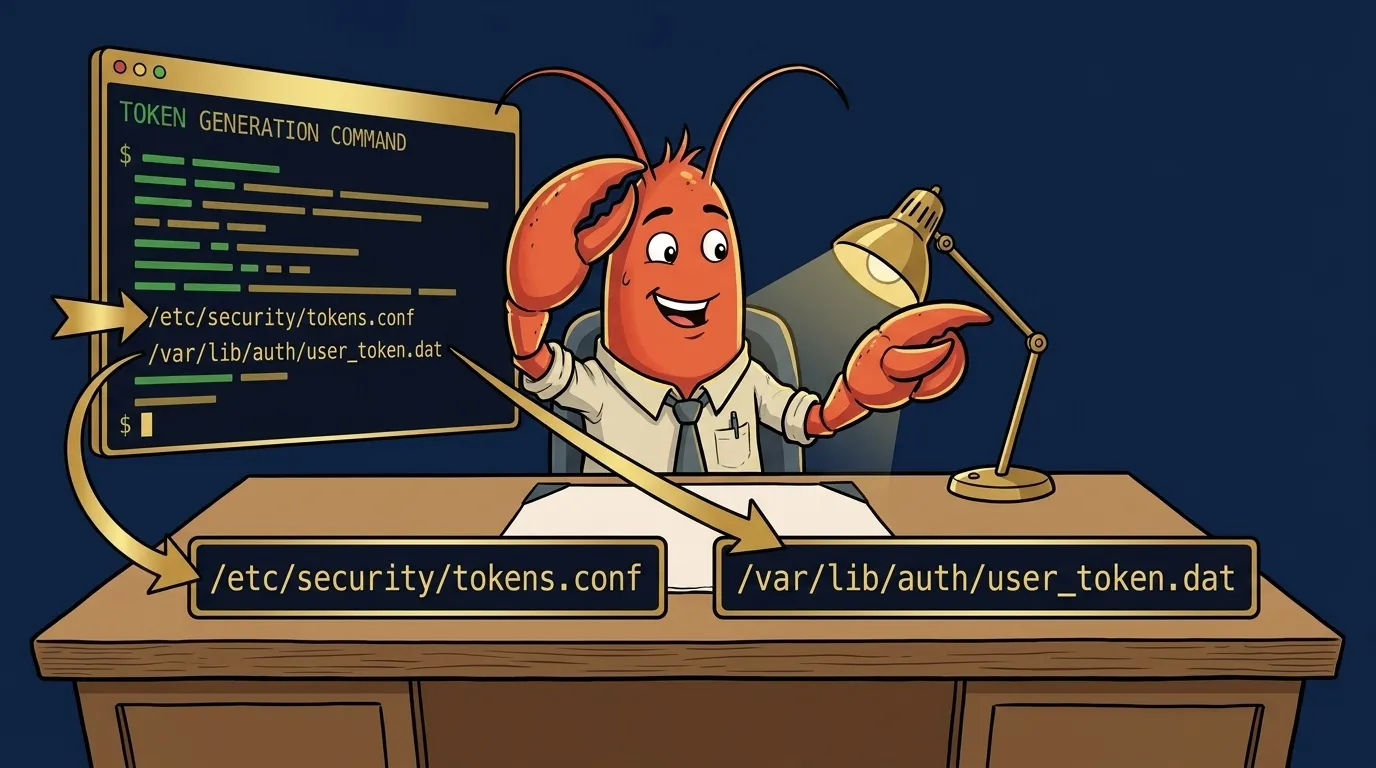
The canonical command is:
openclaw gateway token generate
The official OpenClaw docs cover the reference specification. This post is the practitioner layer on top of it, the “what actually happens and what to do when it doesn’t” layer.
Run it from your OpenClaw installation directory or from anywhere if OpenClaw is on your PATH. The command will prompt you for scope selection, then write the token to two locations:
~/.openclaw/auth-profiles.json
~/.openclaw/credentials.env
The output looks like this:
OpenClaw Gateway Token Generator
---------------------------------
Select scopes to grant:
  [x] operator.read
  [x] operator.write
  [x] channel.read
  [x] channel.write
  [x] model.proxy
  [ ] admin.reset (use with care)

Generating token...
Token written to ~/.openclaw/auth-profiles.json
Token written to ~/.openclaw/credentials.env

Gateway token: oc-gw-v1-a3f2b9d...  (truncated for security)
Token expires: never (rotate manually)
After generation, verify the token was accepted:
openclaw gateway status
You should see token: valid in the output. If you see token: unset or token: mismatch, the file write succeeded but the running gateway has not picked it up yet. Restart the gateway:
openclaw gateway restart
Then check status again.
The --non-interactive flag. For CI pipelines, cron jobs, or scripted provisioning, add --non-interactive to suppress prompts. Pair it with --scopes to specify scope selection:
openclaw gateway token generate \
  --non-interactive \
  --scopes operator.read,operator.write,channel.read,channel.write,model.proxy
What if the command silently does nothing? This is a config issue, not an auth issue. The generate command reads your gateway config to find the output path. If the config is malformed or the config directory does not exist, the command exits without error and without writing anything. Check that ~/.openclaw/ exists and that openclaw config show returns valid output before troubleshooting further. You can also cross-reference the exact command signatures in the OpenClaw GitHub source if the documented flags do not match what your installed version accepts.
Rotating a Token Without Breaking Your Deployment
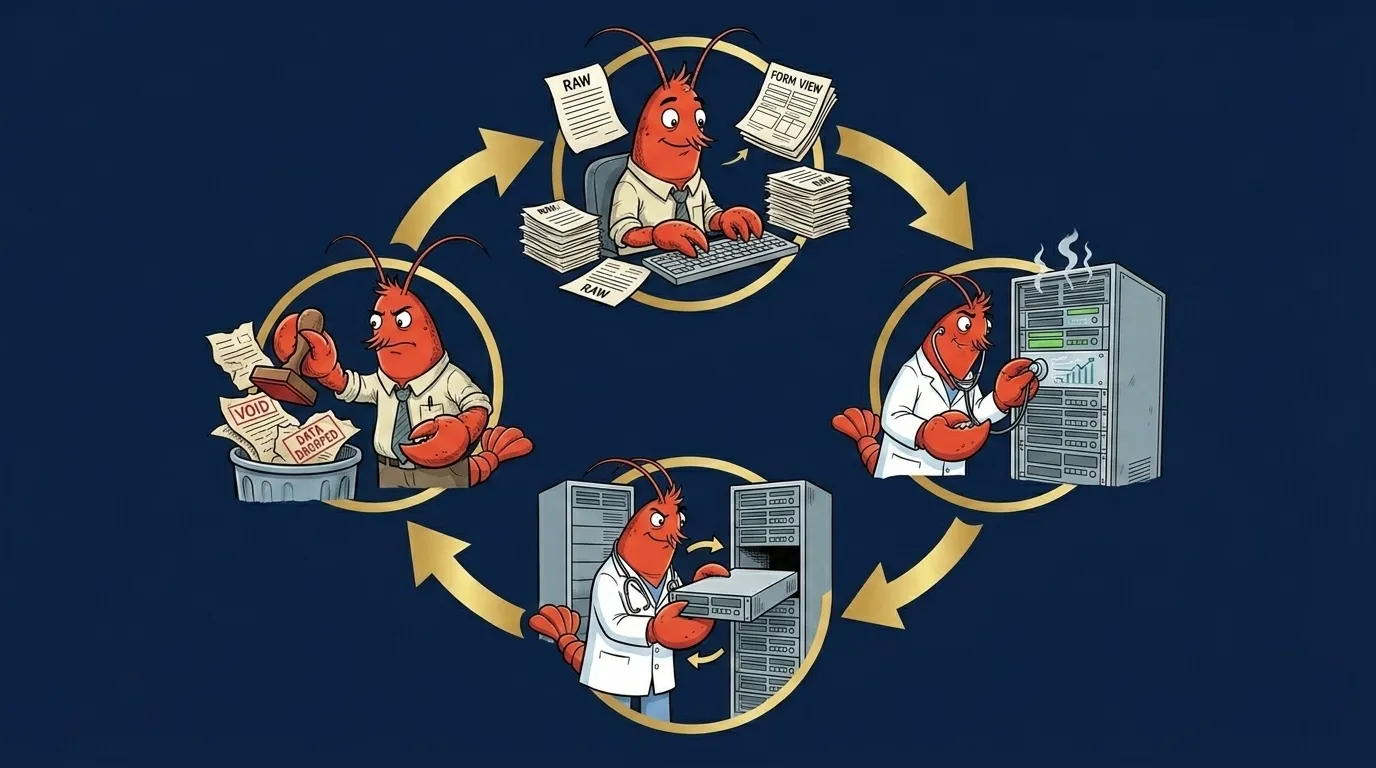
Token rotation is the operational practice that nobody writes down until something breaks. Here is the full procedure for rotating an OpenClaw gateway token on a live deployment with running agents.
When to rotate:
- Security incident or suspected key exposure
- Team member departure who had access to credentials.env
- Scheduled rotation policy (quarterly is reasonable for most deployments)
- Anytime you see auth errors that appeared without a config change
The rotation procedure:
Step 1: Generate the new token without replacing the current one yet.
openclaw gateway token generate --output-only
The --output-only flag prints the new token to stdout without writing to disk. Copy it.
Step 2: Write the new token to auth-profiles.json. The relevant key is gateway.token:
openclaw config set gateway.token "oc-gw-v1-yournewtoken..."
Step 3: Restart the gateway to pick up the new token.
openclaw gateway restart
Step 4: Verify the new token is active.
openclaw gateway status
Step 5: Check that agents re-registered. Running agents that had the old token cached will fail on their next request and automatically retry. This retry cycle typically completes in under 30 seconds. Watch the agent log:
openclaw agent logs --follow
You want to see re-registered with gateway for each agent, not repeated 401 Unauthorized errors.
The race condition to watch for. If you have long-running agents with the old token cached in memory, those agents will fail requests until they restart their registration cycle. Most agents handle this automatically. Some custom integrations cache the token at startup and do not retry. If you have custom integrations, check your integration code before rotating in production. See production deployment patterns for handling this.
If rotation breaks something. Roll back by setting the old token again via openclaw config set gateway.token "old-token" and restarting. You did not invalidate the old token by generating a new one: the gateway accepts whichever token is currently in auth-profiles.json. The old token is still valid at the token-authority level until you explicitly invalidate it.
To explicitly invalidate an old token after successful rotation:
openclaw gateway token invalidate "oc-gw-v1-oldtoken..."
This is optional. If you do not invalidate, the old token is simply no longer configured in the gateway and cannot be used to authenticate against it.
Per OWASP guidance on auth rotation: token rotation is a compensating control, not a substitute for good secret storage. Keep credentials.env out of version control. Use file permissions (600) on the file. If you put OpenClaw config in a git repo, use git-crypt or a secrets manager for the credentials file.
Common Auth Errors and What They Mean
The OpenClaw error reference covers errors in breadth. Here are the four gateway-token-specific errors operators search for most, each with the exact fix.
“missing scope: operator.read”
What it means: Your gateway token exists and is valid, but it was generated without the operator.read scope. The gateway accepted the token at connection time, but refused the specific operation because the token’s scope set does not include the permission required.
Root cause: During initial token generation, you either skipped operator.read in scope selection, or used a pre-existing token generated before your OpenClaw version added the scope requirement.
Fix:
openclaw gateway token generate \
  --non-interactive \
  --scopes operator.read,operator.write,channel.read,channel.write,model.proxy
openclaw gateway restart
Verify: Re-attempt the operation that threw the scope error. If the same error appears after regeneration, confirm the new token was actually loaded: openclaw config show gateway.token should show the new token value.
“channel config schema unavailable”
What it means: This is a schema-validation failure, not an auth failure. Operators frequently hit this after a token rotation or gateway restart and assume they broke auth. They did not. The channel’s schema definition is missing or malformed in your config.
Fix: This is documented in full in the post on raw mode editing. Short version: the channel config has a node type OpenClaw does not recognize. Regenerating your gateway token will not fix it. The schema itself needs repair.
How to distinguish from auth errors: Auth errors always include an HTTP 401 or 403 status in the log. Schema errors come with a different signature. Check openclaw channel logs --channel [your-channel] for the full error context before assuming it is token-related.
“gateway token mismatch”
What it means: The token in auth-profiles.json does not match what the running gateway has in memory. This happens most often after manual edits to auth-profiles.json while the gateway is running, or after a partial write during a failed token rotation.
Fix option 1 (preferred): Let openclaw doctor --fix gateway handle it. Doctor reads both the file and the running gateway state, finds the mismatch, and corrects auth-profiles.json to match the running state.
Fix option 2 (manual): If doctor cannot fix it, regenerate clean:
openclaw gateway stop
openclaw gateway token generate  # writes fresh token, no mismatch possible
openclaw gateway start
“401 Unauthorized on agent register”
What it means: The agent is attempting to register with the gateway using a token that is either expired, has never been persisted to the file the agent reads, or is simply the wrong token.
Check first: Is the agent reading credentials from the right path?
openclaw agent config show --agent [agent-name]
# Look for: credentials_path or gateway_token field
If the agent is configured to read from a different credentials file (common in containerized setups), the gateway token you updated in ~/.openclaw/credentials.env is not the file the agent is reading.
Fix: Point the agent at the correct credentials file, or copy the token into whatever file the agent is reading. Then:
openclaw agent restart --agent [agent-name]
Using openclaw doctor --fix for Token Issues
The doctor command is your first tool, not your last resort. Most token and gateway auth problems are catch-able by doctor before you need to do anything manually.
For the full doctor command reference, see the doctor --fix guide. Here is the token-specific usage:
Basic gateway check:
openclaw doctor --fix gateway
This runs the gateway sub-check specifically: token presence, token validity, token-file consistency, and scope verification. It fixes what it can (mismatches, missing persistence) and reports what it cannot fix (wrong scopes, fully missing tokens).
When doctor finds token issues it can fix:
[gateway] Token mismatch detected: auth-profiles.json out of sync
[gateway] Fixing: writing current gateway token to auth-profiles.json
[gateway] Fixed: token synchronized
When it cannot fix the problem:
[gateway] Token scope error: missing scope operator.read
[gateway] Cannot fix: scope errors require token regeneration
[gateway] Action required: run `openclaw gateway token generate` with full scope set
Doctor tells you exactly what to do next. Do not skip past this output.
The --non-interactive flag for cron:
openclaw doctor --fix --non-interactive
This is worth running daily from cron. It catches token drift before it becomes a 2am incident. It outputs nothing on success, writes errors to stderr on failure, and exits non-zero if it found problems it could not fix. Standard cron-safe behavior.
The relationship between doctor --fix and doctor --fix gateway: doctor --fix runs all sub-checks including gateway. doctor --fix gateway runs only the gateway sub-check. Use the scoped version when you know the problem is gateway-related and want a faster diagnostic loop.
Editing Config Safely: openclaw config set and Raw Mode
The openclaw config set command is the right way to change individual config values. It validates the value against the config schema before writing, which prevents the class of errors that come from typos in JSON.
Basic usage:
openclaw config set gateway.token "oc-gw-v1-yournewtoken..."
openclaw config set gateway.log_level "debug"
openclaw config set agents.defaults.thinkingDefault true
Verify any set command took effect:
openclaw config show gateway.token
# Should output the value you just set
What happens if you edit auth-profiles.json directly while the gateway is running. The gateway reads auth-profiles.json at startup and does not watch for file changes at runtime. Direct edits while the gateway is running will not take effect until you restart. Worse, if you introduce a JSON syntax error, the gateway will fail to restart and give you a cryptic parse error. Use openclaw config set and let it validate your input.
When to use raw JSON mode. Raw mode is for cases where you need to set a nested structure that config set cannot express as a flat key-value pair, or when you are migrating config from one OpenClaw installation to another. See the raw mode editing post for the full procedure and the gotchas around schema validation.
Validating after a config set:
openclaw config validate
This runs the full config schema check and reports any problems. Run it after any config change, especially before restarting the gateway.
Production Operational Recommendations
A few practices that prevent the problems covered in this post from happening in the first place.
Rotate tokens on a schedule, not just on incidents. Quarterly rotation is reasonable for most homelab and SMB deployments. Monthly if you have team access to the credentials files. Set a calendar reminder. One line in crontab is enough:
# crontab entry: rotate token on the 1st of each month at 3am
0 3 1 * * openclaw gateway token generate --non-interactive --scopes operator.read,operator.write,channel.read,channel.write,model.proxy && openclaw gateway restart
Keep auth-profiles.json in version control without the secrets. Track the structure and non-secret fields, but strip the token value before committing. The point is to be able to diff config drift over time. A tool like git-crypt handles this if you want to track the full file.
Run openclaw doctor --non-interactive from cron daily. This passive health check catches token drift, scope mismatches, and gateway config problems before they surface as runtime failures. Add it to your monitoring cron job alongside whatever else you are already running:
# crontab: daily doctor run at 6am, alert on non-zero exit
0 6 * * * openclaw doctor --fix --non-interactive || echo "OpenClaw doctor found unresolvable issues" | mail -s "openclaw health check failed" [email protected]
Monitor gateway logs for the specific errors in this post. Set up a grep-based alert or a log aggregator filter for: missing scope, token mismatch, 401 Unauthorized, schema unavailable. These are your early-warning signals. Catching them at 6am from a cron alert is much better than catching them at noon from a user report.
Never store credentials.env in a public or shared repo. This should be obvious but it comes up in community threads regularly. The file contains your gateway token in plaintext. Permissions: chmod 600 ~/.openclaw/credentials.env. Add it to .gitignore if your OpenClaw config directory is inside a repo.
Key Takeaways
- The OpenClaw gateway token is the auth boundary between the gateway and every subsystem. Wrong token, wrong scopes, or token mismatch breaks everything downstream.
- Generate with
openclaw gateway token generate. Verify withopenclaw gateway status. Restart the gateway after any token change. - Rotate on a schedule, not just after incidents. Use
--non-interactive --scopesfor scripted rotation. - “missing scope: operator.read” means token regeneration with full scope set. “channel config schema unavailable” is not an auth error at all: it is a schema problem.
- Run
openclaw doctor --fix gatewaybefore doing anything manually. It fixes most common token issues automatically. - Use
openclaw config setfor individual config changes. Direct JSON edits while the gateway is running do not take effect until restart, and syntax errors will prevent restart. - Daily
openclaw doctor --non-interactivefrom cron is cheap insurance against token drift becoming a production incident.
Frequently Asked Questions
How do I generate an OpenClaw gateway token?
Run `openclaw gateway token generate` from your OpenClaw installation directory. The command writes a new token to auth-profiles.json and credentials.env. Use the --non-interactive flag to suppress prompts for scripted environments. After running, verify with `openclaw gateway status` to confirm the token was accepted.
What does "missing scope: operator.read" mean in OpenClaw?
It means the gateway token was generated without the operator.read scope. The token exists but lacks the permission needed for the operation you are trying to perform. The fix is to regenerate the token: run `openclaw gateway token generate` and ensure you confirm or include all required scopes when prompted. Then restart the gateway.
How do I rotate an OpenClaw gateway token without downtime?
Generate the new token first with `openclaw gateway token generate --output-only`, write it to auth-profiles.json, then restart the gateway with `openclaw gateway restart`. Running agents that cached the old token will fail on their next request and automatically retry with the new credentials from auth-profiles.json within one retry cycle, typically under 30 seconds.
Why does `openclaw config set` fail with "channel config schema unavailable"?
This error means the channel's schema definition is missing or malformed, not that your config-set syntax is wrong. It is a schema-validation failure, not an auth failure. The fix involves repairing the channel schema definition, not regenerating your gateway token. See the dedicated post on the openclaw unsupported schema node error for the full repair procedure.
When should I use `openclaw doctor --fix` vs manual token regeneration?
Use `openclaw doctor --fix gateway` first. It catches token mismatch errors, expired tokens, and config sync issues automatically. Go manual only when doctor reports it cannot fix the problem, or when you have a specific scope error that requires a clean regeneration with explicit scope selection.
Where does OpenClaw store the gateway token?
OpenClaw writes the gateway token to two locations: auth-profiles.json in your OpenClaw config directory (default: ~/.openclaw/auth-profiles.json), and credentials.env in the same directory. The gateway reads from auth-profiles.json at startup. credentials.env is a shell-sourceable backup for scripts and CI environments.
Can I run `openclaw gateway token generate` from a script?
Yes. Pass the --non-interactive flag to suppress all prompts and run with defaults. For scope selection in non-interactive mode, use --scopes with a comma-separated list: `openclaw gateway token generate --non-interactive --scopes operator.read,operator.write,channel.read`. Combine with `openclaw doctor --non-interactive` for fully unattended auth management.
Stop Googling OpenClaw errors.
Your agents message ours on Telegram. Production-tested OpenClaw fixes. $99/mo.