
TL;DR: Ollama defaults to 2048 context tokens. OpenClaw agents need at least 16K-24K. If you don’t fix this one setting, your agent silently produces garbage. This guide covers the complete production config nobody else publishes, which models actually work for agent tasks, real VRAM numbers, and the five gotchas that will break your setup with no warning.
Contents
- The Context Window Trap
- Why Go Local?
- The Production Config Nobody Publishes
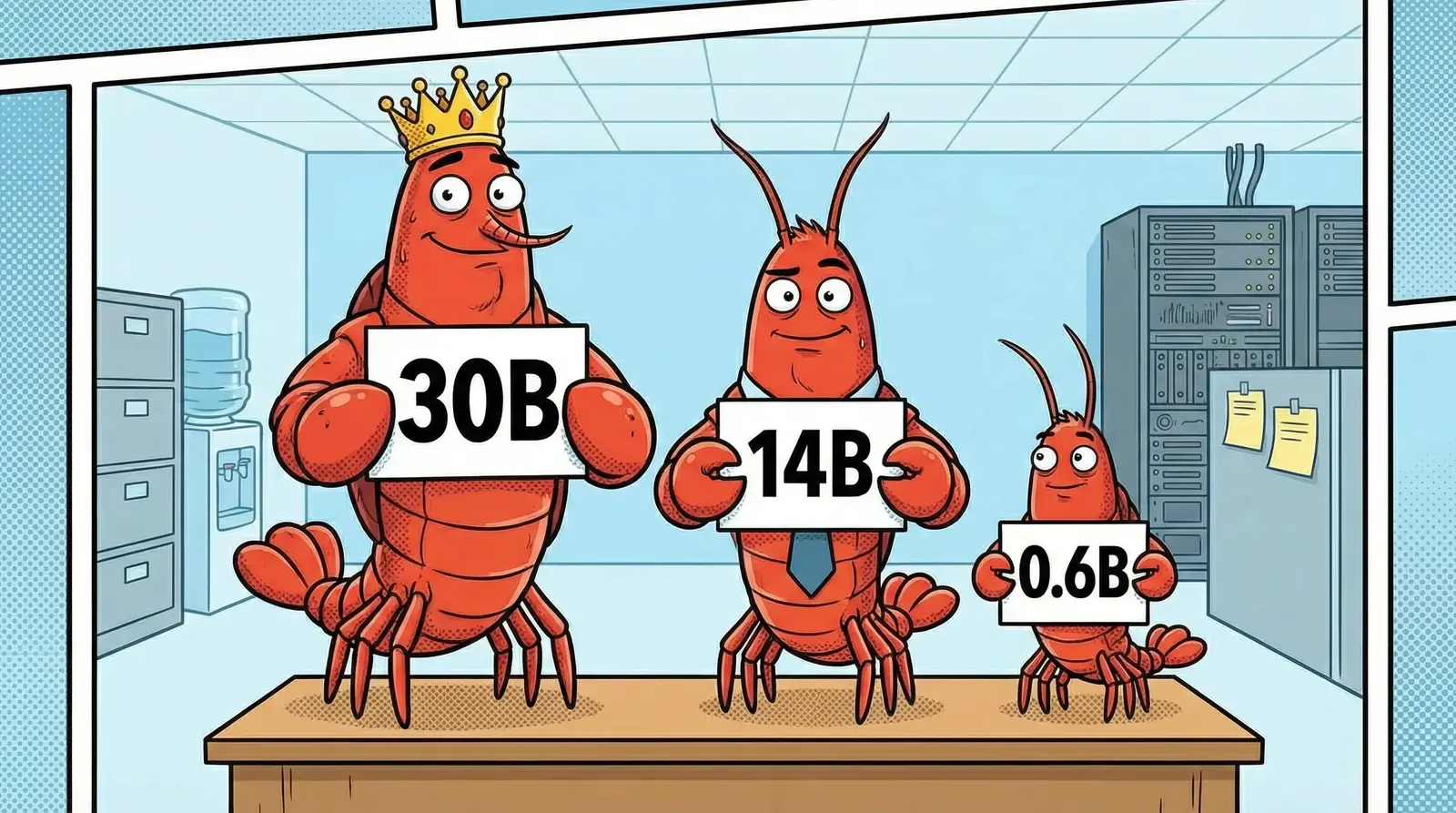
- Which Models Actually Work
- GPU Reality Check
- Five Things That Will Break (Plus a Bonus Myth)
- When NOT to Go Local
- Key Takeaways
- FAQ
OpenClaw with Ollama sounds straightforward. Install Ollama, point OpenClaw at it, pick a model, done. Every tutorial makes it look like a 10-minute job.
It’s not.
After months running local LLMs powering OpenClaw agents on consumer GPUs, here’s what actually happens: you follow the tutorial, everything seems to work in interactive testing, and then your scheduled agents start producing incoherent output. No error. No warning. Just garbage. (If you’re still setting up OpenClaw itself, start with our installation and security hardening guide first.)
The culprit is almost always one setting that Ollama gets wrong by default.

The Context Window Trap
Ollama defaults to 2048 context tokens. OpenClaw agents need at least 16K-24K.
That’s not a suggestion. Agent conversations include system prompts, tool definitions, conversation history, and tool call results. A single moderately complex agent interaction can consume 8,000-12,000 tokens before the model even starts reasoning about the current task.
With a 2048-token window, Ollama silently truncates everything beyond that limit. The model sees maybe 10% of the actual conversation. It responds to a fragment. The output looks wrong, not broken. You’ll spend hours debugging your agent logic when the real problem is a single environment variable.
Set OLLAMA_NUM_CTX=24576. This matches OpenClaw’s contextTokens setting plus headroom for tool definitions. Do it first. Do it now.
Why Go Local?
Cost. $0 per inference. If you’re running agents that make dozens of LLM calls per task, the API bills stack up fast. Local inference is free after hardware.
Privacy. Your data never leaves your network. For regulated industries or sensitive operations, this matters more than performance benchmarks.
Latency. No network round-trip. For simple, fast agent tasks, local inference can be quicker than waiting for an API response. Especially if your agents are making rapid-fire tool calls where each round-trip adds 200-500ms.
What most “go local” guides skip: local models use more tokens on complex tasks. They loop more. They retry tool calls. They burn through context faster because they need more reasoning steps to reach the same conclusion a single Claude API call handles in one pass. We’ve watched a local 30B model take 6 tool call attempts on a task that Sonnet nails in one. The inference was free, but the extra context consumption wasn’t.
For simple procedural work (filing, sorting, formatting, data extraction, monitoring), local is the right call. For multi-step reasoning chains, complex tool orchestration, or anything that needs frontier-level thinking, route those to an API model. If you’ve read our OpenClaw production gotchas guide , you’ll recognize this pattern: knowing where a tool breaks is more valuable than pretending it doesn’t.
The Production Config Nobody Publishes
Every Ollama tutorial shows you ollama serve and calls it done. A production config looks more like this:
OLLAMA_HOST=0.0.0.0
OLLAMA_KEEP_ALIVE=1h
OLLAMA_NUM_CTX=24576
OLLAMA_FLASH_ATTENTION=1
OLLAMA_KV_CACHE_TYPE=q8_0
OLLAMA_NUM_PARALLEL=2
NVIDIA_VISIBLE_DEVICES=all
CUDA_VISIBLE_DEVICES=0
What each one does:
OLLAMA_NUM_CTX=24576 sets the context window. Match this to OpenClaw’s contextTokens setting plus headroom. The default 2048 is useless for agent workloads.
OLLAMA_FLASH_ATTENTION=1 enables flash attention for faster inference. This also unlocks KV cache quantization, which is the next variable.
OLLAMA_KV_CACHE_TYPE=q8_0 quantizes the KV cache to 8-bit, cutting cache memory usage by roughly 50% with minimal quality loss. On a 24GB GPU, this is the difference between fitting your model or not.
OLLAMA_NUM_PARALLEL=2 allows two concurrent agent requests. If you’re running multiple agents, they can share the model without queuing. Set this based on your VRAM headroom. Each parallel slot costs additional KV cache memory.
OLLAMA_KEEP_ALIVE=1h keeps the model loaded in VRAM for an hour after the last request. Default is 5 minutes, which means cold starts every time your agents pause between tasks.
CUDA_VISIBLE_DEVICES=0 pins Ollama to a specific GPU. If you have multiple GPUs, assign dedicated hardware. Sharing a GPU between services causes CUDA out-of-memory crashes under load.
OLLAMA_HOST=0.0.0.0 exposes Ollama on all interfaces so OpenClaw can reach it from its container.
The Auth Workaround
OpenClaw’s gateway requires an API key for every provider, even Ollama, which doesn’t need one. Setting type: "none" gets stripped on hot-reload.
The fix: set a dummy apiKey value (any string works) and authHeader: false in the provider config. Nobody documents this, and it will silently block your agents without it.
Which Models Actually Work
Not every model works for agent tasks. Tool calling support is non-negotiable. Without it, OpenClaw agents can’t execute actions, and the model just describes what it would do instead of doing it.
After testing dozens of models, these are the ones that reliably handle OpenClaw agents:
| Model | Size | Params | Best For | Tool Calling |
|---|---|---|---|---|
| qwen3:30b-a3b | 18.6 GB | 30B MoE / 3B active | Agent tasks, complex reasoning | Yes (proven) |
| qwen2.5:14b | 9 GB | 14.8B | Moderate tasks, good quality/size ratio | Yes |
| qwen3:0.6b | 522 MB | 0.6B | Lightweight utility, embedding prep | Limited |
qwen3:30b-a3b is the one we keep coming back to. It’s a Mixture-of-Experts model: 30 billion parameters total, but only 3 billion active per inference. You get 30B-class reasoning without the VRAM cost of a dense 30B model. Tool calling works reliably. Complex agent chains complete without excessive retry loops.
qwen2.5:14b is the mid-range option. If your GPU can’t fit qwen3:30b-a3b, the 14B model handles simpler agent tasks well. Expect more retries on complex multi-step work.
qwen3:0.6b is a utility model. Good for lightweight preprocessing or embedding tasks. Don’t use it for agent work that requires reasoning.
Models we tested and dropped: several popular models on Reddit fail at tool calling or hallucinate tool parameters. The Reddit hype doesn’t always match production reality. Stick with Qwen for agent workloads until other model families catch up on structured output and tool use.
GPU Reality Check
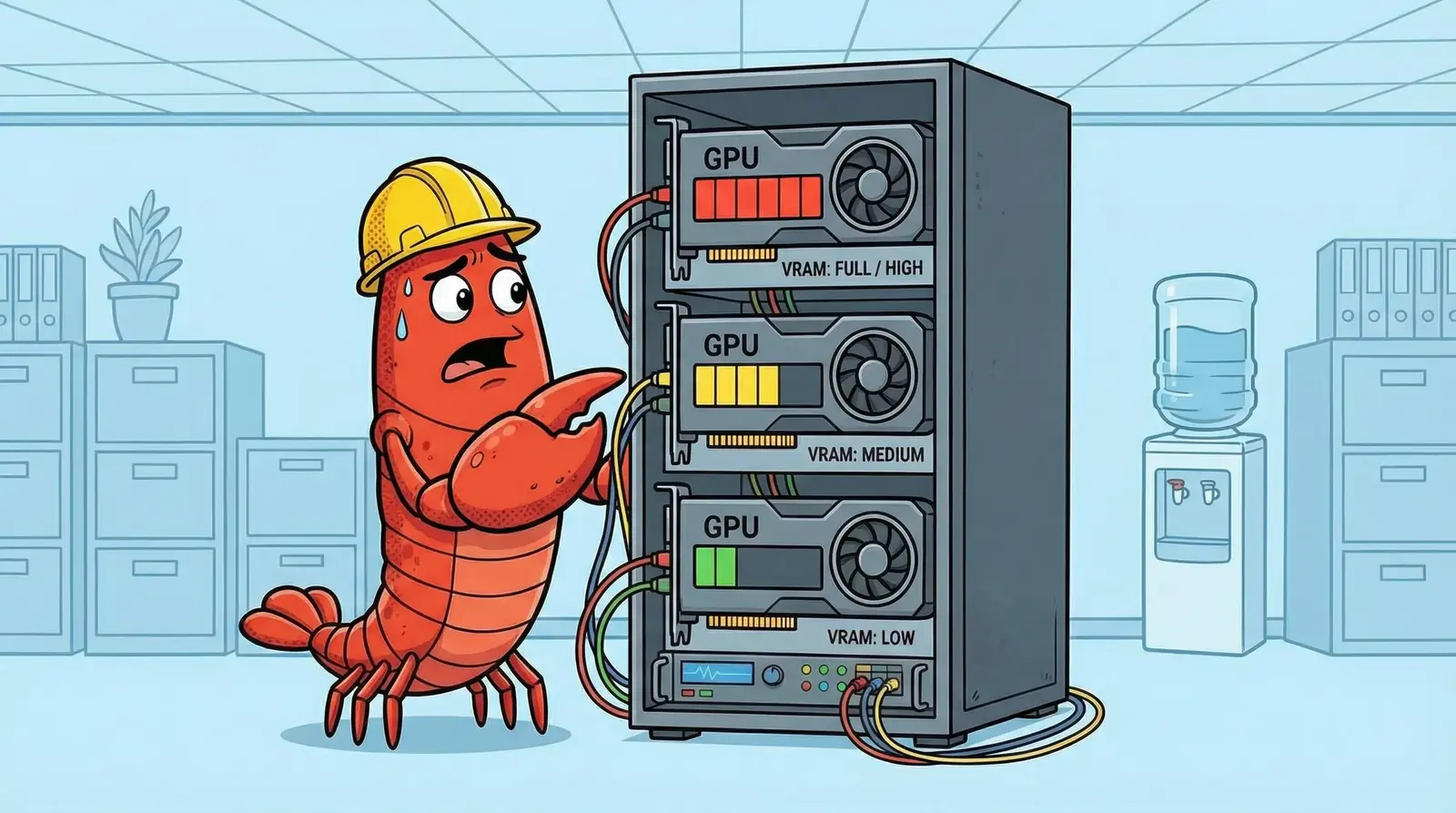
Theoretical VRAM numbers on model cards don’t account for KV cache overhead. The real numbers look different:
qwen3:30b-a3b with 2 parallel KV slots and q8_0 cache: roughly 21GB on an RTX 3090. That leaves about 3GB of headroom. Tight, but stable under sustained load with flash attention enabled.
qwen2.5:14b with 2 parallel slots: roughly 12GB. Fits on an RTX 3090 with room to spare, or just barely on 12GB cards like the RTX 4070.
Consumer GPU tiers for OpenClaw with Ollama:
| VRAM | What Fits | Notes |
|---|---|---|
| 8 GB | qwen3:0.6b, small utility models | Not enough for serious agent work |
| 12 GB | qwen2.5:14b (tight) | Works for moderate agents, 1 parallel slot |
| 16 GB | qwen2.5:14b (comfortable) | 2 parallel slots with headroom |
| 24 GB | qwen3:30b-a3b | Full production agent workload |
Docker Gotcha
docker restart does not apply changes from your docker-compose file. If you change environment variables, you need docker compose down && docker compose up -d. This is a Docker fundamental, but it trips up everyone in the Ollama + Docker context because you change OLLAMA_NUM_CTX, restart the container, and wonder why nothing changed.
Multi-GPU
If you run multiple services that need GPUs, assign each service a dedicated GPU using CUDA_VISIBLE_DEVICES. Sharing a GPU between Ollama and another CUDA service causes intermittent out-of-memory crashes that are nearly impossible to reproduce consistently.
Five Things That Will Break
None of this is hypothetical. Every one came from a production failure. (We covered platform-level failures in our OpenClaw error troubleshooting guide . These are Ollama-specific.)
1. MULTIUSER_CACHE Crash
OLLAMA_MULTIUSER_CACHE causes a GGML_ASSERT crash when OLLAMA_NUM_PARALLEL is 2 or higher. The model loads, serves one request, then crashes on the second concurrent request.
Fix: Don’t set OLLAMA_MULTIUSER_CACHE. As a bonus, disabling it saves roughly 0.8GB of VRAM.
This is documented in Ollama GitHub issue #12150 . It’s not a configuration error on your end. It’s a known bug.
2. Model Allowlist Silent Failure
OpenClaw’s model allowlist is the most frustrating gotcha. Interactive sessions bypass the allowlist check. You test your agent, it works perfectly. You deploy it with a cron schedule, and it fails silently.
The model must be explicitly added to OpenClaw’s model allowlist for scheduled tasks to use it. Interactive sessions don’t enforce this, which means your testing workflow will never catch this bug.
3. Gateway Config Race Condition
OpenClaw’s gateway loads its config into memory at startup and syncs back to disk periodically. If you edit config files while the gateway is running, your changes get overwritten within seconds.
Fix: Make your config changes, then restart the gateway immediately. Never edit-then-wait. The gateway will stomp your changes on its next sync cycle.
4. Auth for Keyless Providers
Covered above, but worth repeating: Ollama doesn’t need an API key. OpenClaw’s gateway demands one for every provider. Setting type: "none" gets stripped on hot-reload. Use a dummy apiKey value with authHeader: false.
5. Context Truncation
The context window trap from the opening section. No error message. No warning in logs. The model just receives a truncated conversation and responds to whatever fragment it sees. Set OLLAMA_NUM_CTX=24576 and verify it’s actually being applied (check Ollama logs on model load).
One More: OLLAMA_NUM_GPU Doesn’t Exist
You’ll find OLLAMA_NUM_GPU referenced in tutorials, blog posts, and Stack Overflow answers. It’s not a real Ollama environment variable. Setting it does nothing. GPU selection uses CUDA_VISIBLE_DEVICES only. This is verified in Ollama’s source code
. If you’ve been debugging GPU assignment issues and this variable is in your config, now you know why nothing changed.
When NOT to Go Local
Local models are not always the right call. Sometimes the API is cheaper.
Complex multi-step reasoning. If your agent needs to chain 5-10 tool calls with dependent logic, API models complete this faster and cheaper overall. Local models retry more, burn more context, and take longer to converge. We’ve seen tasks where a local model consumed 3x the context tokens to reach the same result as a single API call. The inference was free, but the wasted context window wasn’t.
Time-critical tasks. If the output needs to be right on the first attempt, don’t gamble on a local model. API models have higher first-pass reliability on complex operations. When your agent is handling something that can’t afford a retry loop, pay for the API call.
Tasks requiring frontier-level thinking. Opus-class reasoning doesn’t exist locally. Dense 70B+ models get closer but demand 40GB+ VRAM and still fall short on nuanced multi-step planning. If the task needs it, route it to an API.
The practical pattern: build a routing layer. Simple procedural tasks (monitoring, formatting, extraction, indexing) go to Ollama. Complex reasoning and anything touching critical workflows goes to the API. You cut costs where it’s safe and keep reliability where it matters. This is the same approach we described in our production gotchas for model tiering.
Key Takeaways
- Set
OLLAMA_NUM_CTX=24576before anything else. The default 2048 silently breaks everything. - qwen3:30b-a3b is the best model for OpenClaw agents: 30B quality at MoE efficiency, proven tool calling.
- Don’t set
OLLAMA_MULTIUSER_CACHE. It causes GGML_ASSERT crashes with parallel requests. - Add your models to OpenClaw’s allowlist. Interactive testing bypasses it; crons don’t.
- Route by complexity: local for procedural work, API for complex reasoning.
FAQ
What context window does OpenClaw need with Ollama?
OpenClaw agents need at least 16K-24K context tokens. We run OLLAMA_NUM_CTX=24576. Ollama’s default is 2048 tokens, which silently truncates agent context and produces garbage output with no error or warning.
Which Ollama model is best for OpenClaw agents?
qwen3:30b-a3b is the best proven option. It’s a 30B MoE model with only 3B active parameters, requires 18.6GB VRAM, and has reliable tool calling support, which is critical for OpenClaw agent tasks.
How much VRAM does OpenClaw need to run locally?
Around 21GB for qwen3:30b-a3b with 2 parallel slots and q8_0 KV cache. The 14B models like qwen2.5:14b fit on 12GB cards. Budget for model size plus KV cache overhead per parallel slot.
Why does my OpenClaw agent give bad responses with Ollama?
Almost always the context window. Check OLLAMA_NUM_CTX. If it’s unset, Ollama defaults to 2048 tokens. Your agent’s conversation history gets silently truncated, and the model responds to a fragment of the actual context. Set OLLAMA_NUM_CTX=24576 minimum.
Does OLLAMA_NUM_GPU work?
No. OLLAMA_NUM_GPU is not a real Ollama environment variable, despite appearing in tutorials and Stack Overflow answers. GPU selection uses CUDA_VISIBLE_DEVICES only. Verified in Ollama source code.
Why do my OpenClaw crons fail with Ollama but interactive works?
Model allowlist. Interactive sessions bypass the allowlist check. Scheduled tasks and cron jobs enforce it strictly. If your local Ollama model isn’t in OpenClaw’s model allowlist, crons fail silently while interactive testing works fine.
OpenClaw Ollama vs Claude API: which is better?
Depends on the task. Local Ollama models are ideal for simple procedural work: $0 inference cost, full privacy, low latency. For complex multi-step reasoning, API models like Claude complete faster with fewer retry loops and less context burn. Route by complexity, not ideology.
Why does Ollama crash with GGML_ASSERT?
Likely the MULTIUSER_CACHE bug. When OLLAMA_MULTIUSER_CACHE is enabled and OLLAMA_NUM_PARALLEL is 2 or higher, Ollama hits a GGML_ASSERT crash. Fix: don’t set OLLAMA_MULTIUSER_CACHE. This also saves roughly 0.8GB VRAM. See Ollama GitHub issue #12150
.
Ready to run OpenClaw agents on your own hardware? Check out our OpenClaw tutorial for the full installation and security hardening guide, or read about production gotchas and error troubleshooting to avoid the rest of the pitfalls.
Soli Deo Gloria
Stop Googling OpenClaw errors.
Your agents message ours on Telegram. Production-tested fixes from a 35+ agent deployment. $99/mo.