
TL;DR: OpenClaw is an MIT-licensed, open-source personal AI assistant you self-host on your own devices. A local Gateway connects to 20+ messaging platforms simultaneously (WhatsApp, Telegram, Slack, Discord, and more), routes messages to an LLM of your choice, and runs pluggable “skills” that give the agent real tool access. It is not an LLM itself. It is the infrastructure layer that makes an LLM useful across every channel you already use.
Contents
- What is OpenClaw?
- What does OpenClaw do?
- OpenClaw skills and channels
- Who is OpenClaw for?
- How OpenClaw works
- How to use OpenClaw: getting started
- OpenClaw vs other agent frameworks
- Key Takeaways
- FAQ
OpenClaw is a personal AI assistant framework you run on your own hardware. It sits between an LLM (like GPT-4o or Claude) and the messaging channels you use every day, handling sessions, tools, and events. The OpenClaw Foundation maintains it as open-source software under the MIT License at github.com/
What is OpenClaw?
One sentence: OpenClaw is an open-source Gateway that lets you run a personal AI assistant across every major messaging platform, from a single self-hosted installation.
That rules out several things people assume. OpenClaw is not a cloud service you subscribe to. It is not an LLM. It is not a chatbot builder in the drag-and-drop sense. It is infrastructure: a local control plane you install and operate, which connects your chosen AI model to the channels where you and your contacts already communicate.
The GitHub repo puts it plainly: “Your own personal AI assistant. Any OS. Any Platform.” You own the deployment. You choose the model. You control who can reach the agent and what it can do.
Most AI assistant tools lock you into a vendor’s cloud, a single channel, and a proprietary model. OpenClaw AI breaks each of those constraints independently. You can swap the LLM, add channels, and keep all conversation data on your own hardware.
What does OpenClaw do?
OpenClaw’s core capabilities, from the official documentation:
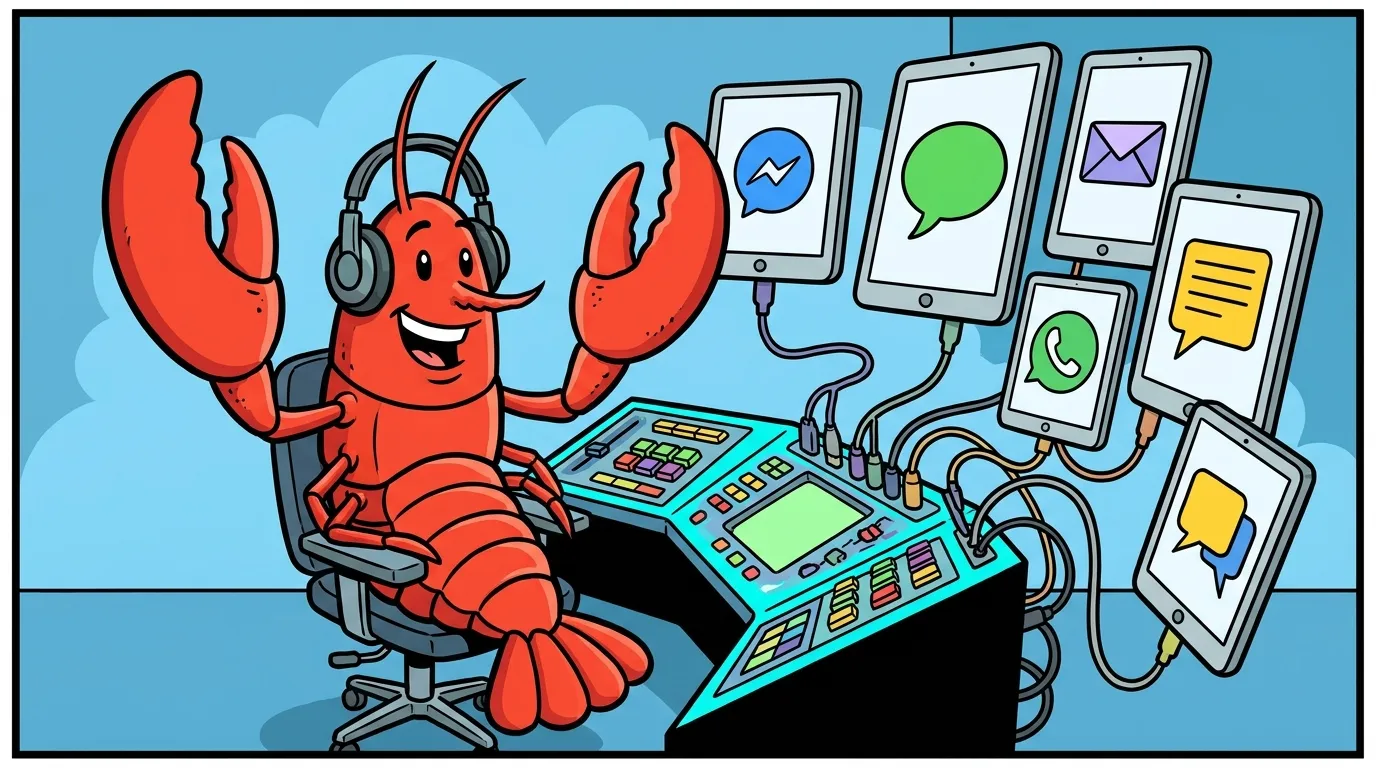
- Multi-channel inbox: Connects to WhatsApp, Telegram, Slack, Discord, Google Chat, Signal, iMessage, IRC, Microsoft Teams, Matrix, Feishu, LINE, Mattermost, Nextcloud Talk, Nostr, Synology Chat, Tlon, Twitch, Zalo, WeChat, QQ, and WebChat. All from one Gateway instance.
- LLM routing: Works with any provider your model supports. OpenAI, Anthropic, Ollama for local models, and others. You configure the model; OpenClaw handles the plumbing.
- Pluggable skills: The skill system gives the agent tool access: browser automation, scheduled cron jobs, webhooks, code execution, image generation, web search, and more.
- Multi-agent routing: Route different channels or accounts to isolated agents with separate workspaces and per-agent session histories.
- Voice support: Wake word detection on macOS/iOS and continuous voice mode on Android, with ElevenLabs or system TTS fallback.
- Live Canvas: An agent-driven visual workspace for macOS with a UI automation layer called A2UI.
- Security controls: DM pairing by default (unknown senders get a pairing code, not unfiltered access). Docker sandboxing for non-main sessions. A full exposure runbook for remote deployments.
A production OpenClaw deployment can answer a Telegram message, run a scheduled data task, send a Discord notification, and respond to a voice command on iOS. All from the same running Gateway instance.
OpenClaw skills and channels
Skills and channels are the two extension points in OpenClaw. They are different things and worth understanding separately.
What a skill is:
Per the official docs: “Skills are markdown instruction files that teach the agent how and when to use tools. Each skill lives in a directory containing a SKILL.md file with YAML frontmatter and a markdown body. OpenClaw loads bundled skills plus any local overrides, and filters them at load time based on environment, config, and binary presence.”
Skills are not plugins in the traditional sense. They are instruction sets. You write a SKILL.md that tells the agent: here is a tool, here is when to use it, here are the parameters. The agent reads that skill at startup and knows how to call the underlying tool. The ClawHub registry at clawhub.ai hosts community-built skills for common use cases.
OpenClaw ships with bundled skills covering browser automation, code execution, image generation, PDF handling, web search (Brave, Perplexity, Exa, DuckDuckGo, and others), and agent coordination. You can write your own or install from ClawHub.
What a channel is:
A channel is a connection to a messaging platform. Configuring a channel means providing credentials (a bot token, an API key, OAuth consent), setting the DM pairing policy, and defining who can reach the agent on that surface. OpenClaw currently supports 23 channels. You can run multiple channels simultaneously from a single Gateway instance.
The model in brief: Gateway is the router. Channels are the inbound surfaces. Skills are the tools the agent can call. The LLM is the reasoning layer in the middle.
Who is OpenClaw for?
OpenClaw fits three profiles well.
Individual developers and power users who want a personal AI assistant they fully control. You are tired of cloud-dependent tools that log your conversations or change pricing on you. You want to use a local Llama model on Tuesday and GPT-4o on Wednesday without rebuilding your setup. OpenClaw was built for this case first. See our guide on running OpenClaw with a local LLM for the Ollama path.
Agencies and consultancies building AI-driven workflows for clients. OpenClaw’s multi-agent routing lets you run isolated agents per client or per project from one Gateway. The skill system means custom tool integrations do not require rewriting core code. Kaxo runs OpenClaw in production for Canadian business clients: it handles multi-channel coverage, scheduled tasks, and lead routing from a single deployment.
Businesses that need AI automation across internal messaging surfaces (Slack, Teams) plus external channels (WhatsApp, email) without the data-sharing implications of a third-party SaaS product. The self-hosted model keeps all conversation data on your infrastructure. If you are weighing where to start, we have written up seven OpenClaw use cases for business and what each one needs before you let it run unattended.
OpenClaw is not a fit if you need a no-code chatbot builder with a visual drag-and-drop interface, or if you have no one who can manage a Node.js service. The onboarding is approachable, but you are running software infrastructure. See OpenClaw deployment options for managed alternatives.

How OpenClaw works: architecture at a glance
The architecture has three layers.
Gateway is the local control plane. It runs as a daemon (launchd on macOS, systemd on Linux) and manages sessions, channel connections, tool routing, security policies, and event handling. All traffic flows through it.
Skills are the tool layer. The agent reads loaded skills at startup and knows what tools it can invoke. Skills can call external APIs, run code, browse the web, or chain sub-agents. You extend capability by adding skill directories, not by modifying core Gateway code.
Channels are the inbound/outbound surfaces. Each channel adapter handles the specifics of a messaging platform’s API: authentication, message formatting, webhook or polling. From the Gateway’s perspective, a message from Telegram and a message from Slack look identical after the adapter normalizes them.
The LLM sits between Gateway and the skill layer. The Gateway passes the normalized message to the model, which decides whether to respond directly or invoke a skill. Tool results return to the model, which produces a final response. The Gateway routes that response back to the originating channel.
This is why OpenClaw is LLM-agnostic. The Gateway does not care which model you use. It speaks to the model via a standard interface (OpenAI-compatible in most cases) and the channel adapters have no knowledge of what model generated the response.
How to use OpenClaw: getting started
The recommended install path from the official docs:
npm install -g openclaw@latest
openclaw onboard --install-daemon
openclaw onboard runs an interactive wizard that steps you through Gateway setup, channel pairing, model configuration, and initial skill loading. It works on macOS, Linux, and Windows via WSL2. Node 24 is recommended (Node 22.19+ is the minimum).
After onboarding:
- Verify the Gateway is running:
openclaw gateway status - Pair a channel: follow the channel-specific guide in the docs (Telegram, Slack, Discord, WhatsApp all have dedicated setup pages)
- Test the assistant:
openclaw agent --message "Hello" - Add skills: browse ClawHub or write a local SKILL.md
For a full walkthrough including Docker deployment and production hardening, our OpenClaw installation and setup guide covers the complete path. The running OpenClaw in production guide documents the problems you will hit in a live deployment.
OpenClaw vs other agent frameworks
OpenClaw is built for personal and operator use across messaging channels. Most other agent frameworks (LangChain, AutoGPT, CrewAI) are built for developers constructing programmatic pipelines in Python. OpenClaw gives you a running, channel-connected assistant out of the box; those frameworks give you building blocks for assembling one in code.
The closer comparison is OpenClaw vs Hermes. Both are open-source agent harnesses. They differ in architecture, channel support, and deployment model. The full breakdown lives in our OpenClaw vs Hermes Agent practitioner comparison.
For common configuration errors and fixes, see common OpenClaw errors and fixes.
Key Takeaways
- OpenClaw is an MIT-licensed, self-hosted personal AI assistant Gateway maintained by the OpenClaw Foundation at github.com/
openclaw/ .openclaw - It connects to 23 messaging channels simultaneously from a single installation: WhatsApp, Telegram, Slack, Discord, and 19 others.
- OpenClaw is not an LLM. It is the infrastructure layer that connects your chosen LLM to channels and tools.
- Skills are markdown instruction files that give the agent tool access: browser, cron, web search, code execution, and more. Community skills live at clawhub.ai.
- The recommended install path is
npm install -g openclaw@latestfollowed byopenclaw onboard. - It fits developers, agencies, and businesses that want full control of their AI assistant infrastructure. It is not a no-code tool.
Frequently Asked Questions
Is OpenClaw free and open source?
Yes. OpenClaw is released under the MIT License by the OpenClaw Foundation. The source code is publicly available at github.com/openclaw/openclaw. You self-host the Gateway on your own hardware, so there is no mandatory subscription or cloud dependency.
What is OpenClaw used for?
OpenClaw is used to run a personal AI assistant that you control. Common use cases include automating repetitive messaging tasks, building multi-channel AI bots, running scheduled automation jobs, and deploying AI agents that respond across platforms like WhatsApp, Telegram, Slack, and Discord from a single hosted Gateway.
Is OpenClaw the same as Claude, ChatGPT, or another LLM?
No. OpenClaw is not an LLM. It is an infrastructure layer that connects to LLMs. You configure OpenClaw to use the model provider of your choice: OpenAI, Anthropic, Ollama for local models, and others. OpenClaw handles the channel connections, session management, and tool routing; the LLM supplies the intelligence.
What is the difference between OpenClaw and a regular chatbot?
A regular chatbot typically lives on one platform (a website widget, a Slack bot) and has no persistent memory or tool access beyond what its vendor provides. OpenClaw runs on your own infrastructure, connects to 23 channels simultaneously, supports pluggable skills (tools the agent can execute), and gives you full control over the model, data, and security policies.
What are OpenClaw skills?
Skills are markdown instruction files that teach the agent how and when to use tools. Each skill lives in a directory containing a SKILL.md file with YAML frontmatter and a markdown body. OpenClaw loads bundled skills plus any local overrides. The ClawHub registry at clawhub.ai hosts community-built skills you can install.
Is OpenClaw hard to set up?
The recommended path is the openclaw onboard command, which guides you step by step through Gateway setup, channel pairing, and initial skill configuration. It runs on macOS, Linux, and Windows via WSL2. Most users reach a working setup within an hour. More complex deployments (multi-agent routing, Docker sandboxing, remote access) take longer and are documented in the official docs.
Who maintains OpenClaw?
OpenClaw is maintained by the OpenClaw Foundation, an open-source organization. The project is hosted at github.com/openclaw/openclaw and has attracted major sponsors including OpenAI, GitHub, NVIDIA, and Vercel. The community communicates primarily via the openclaw Discord server.
Stop Googling OpenClaw errors.
Your agents message ours on Telegram. Production-tested OpenClaw fixes. $99/mo.